Photo Face Swap

Face swap before and after: a man in a suit, then the same shot with a different face

AI Photo Face Swap with Two Simple Uploads

Upload the photo you want to change, then a clear photo of the face to put in it. MaxH3's photo face swap places that face on the person in the original image and keeps the pose, hair, clothing and background. No prompt and no mask, just two photos and a click on Create. Preview costumes, try a new look or mock up an ad with people who agreed to it.
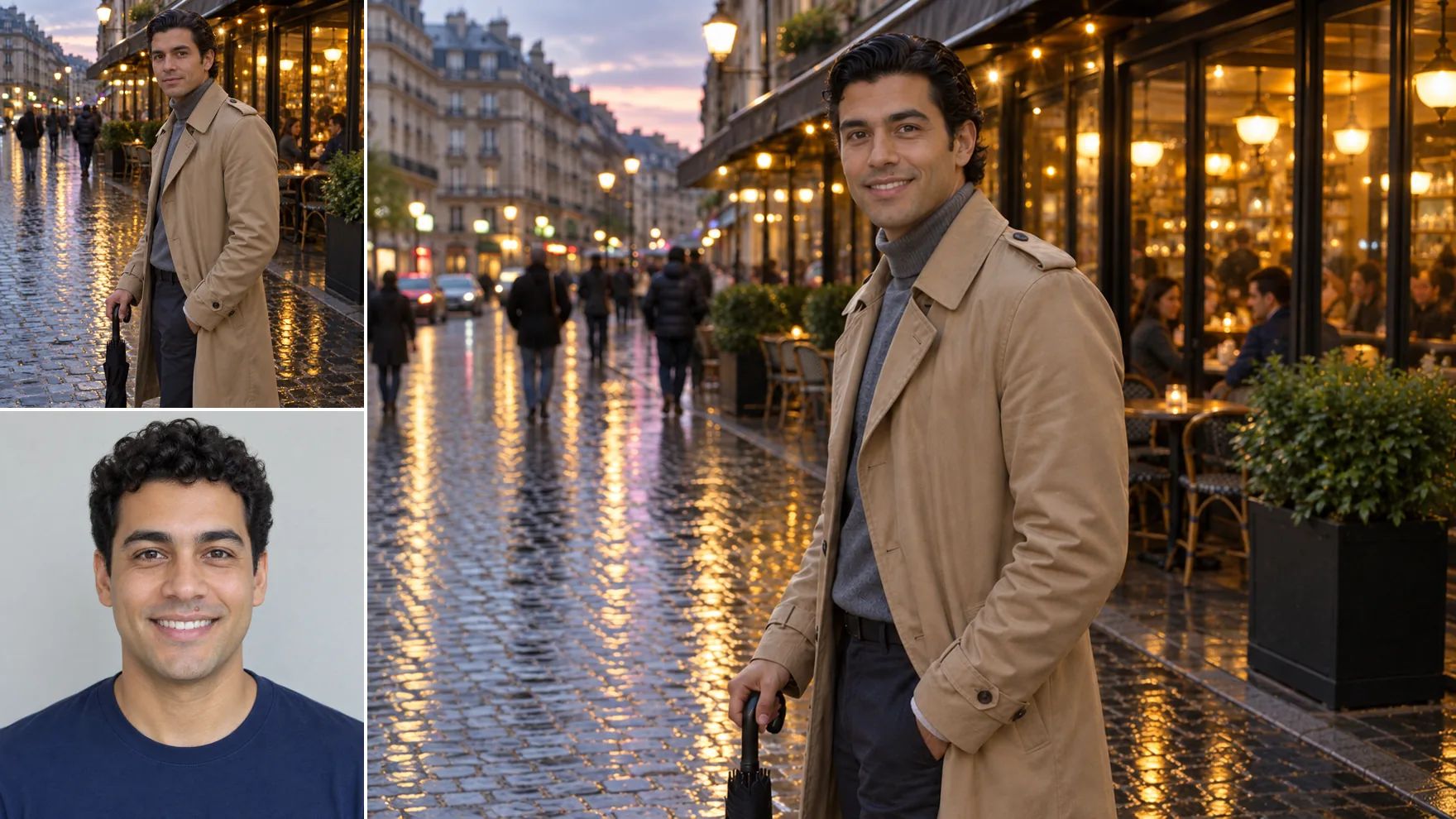
Face swap example: a man in a tan trench coat on a rainy evening street and a portrait of a man with short curly hair, combined into the street photo with the second man's face

What You Can Do with an AI Face Swap

Try looks, roles and ideas with faces you have permission to use.

Preview Costumes and Character Looks

Add a photo of the costume or character look you have in mind, then a photo of the person who will wear it. See the full look with their face before anyone buys fabric or books a fitting.
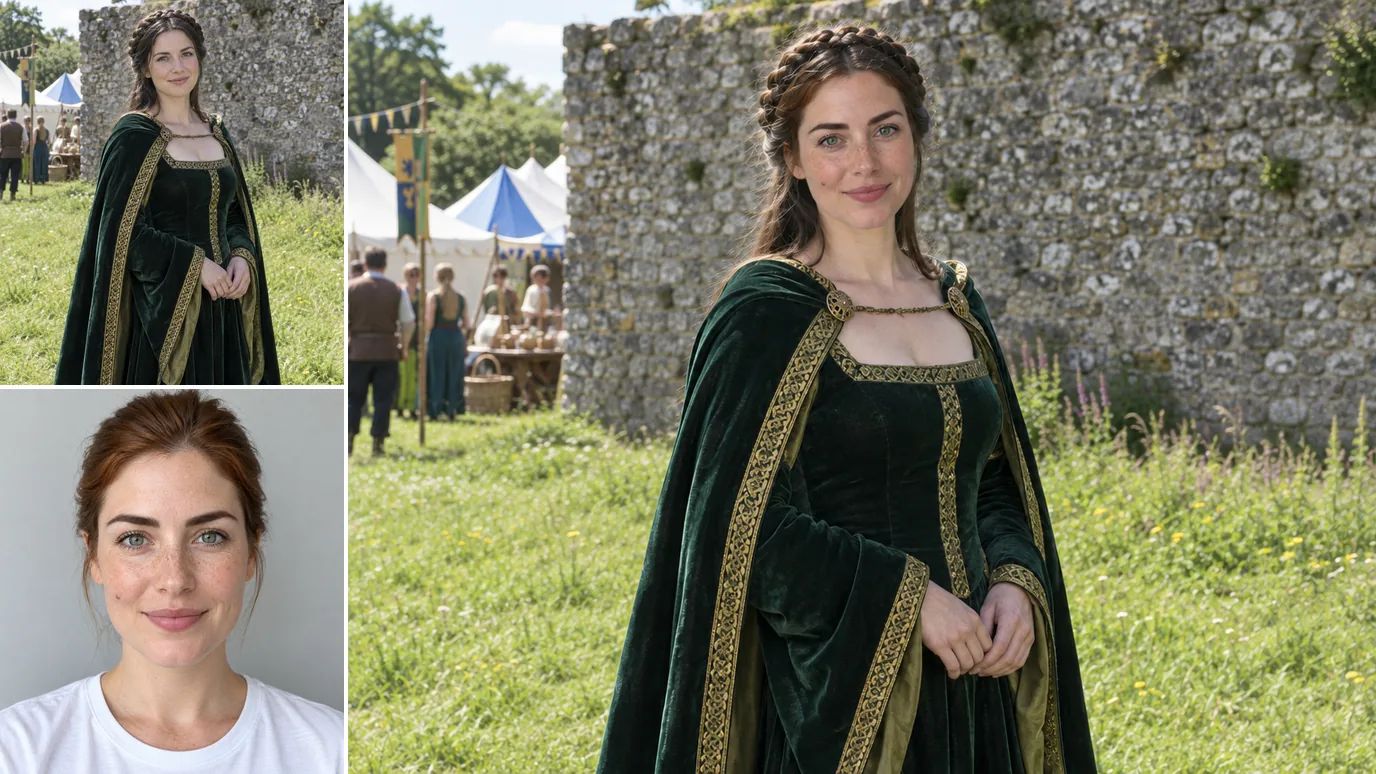
Face swap example: a woman in a green velvet medieval-style gown at a costume fair and a portrait of a freckled woman, combined into the gown photo with the freckled woman's face

Try a New Hairstyle or Style on Your Own Face

Considering a bleached buzz cut or a bolder wardrobe? Use a photo of the look as the original image and your own photo as the face. Hair and clothing come from the first photo, and the AI background changer can add a new setting afterwards.
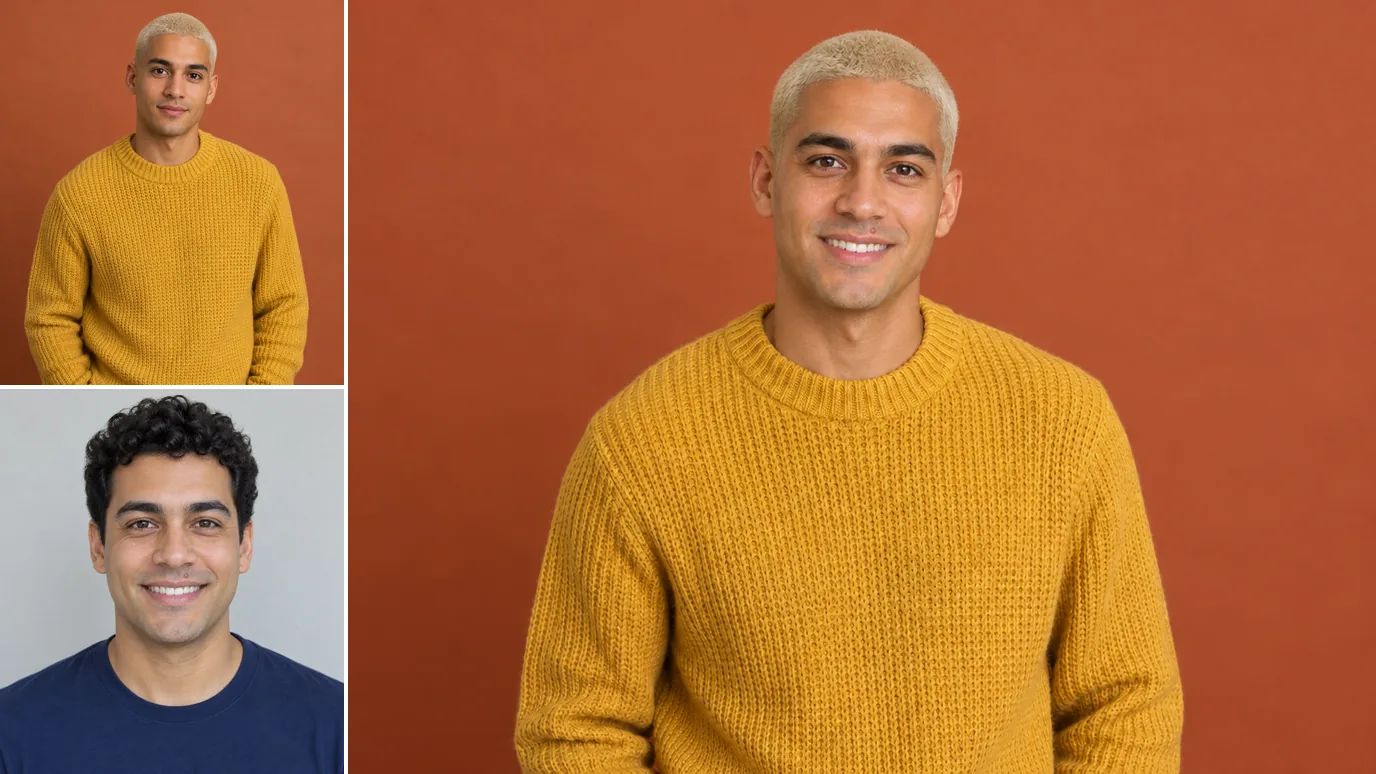
Face swap example: a man with a platinum buzz cut in a mustard knit sweater and a portrait of a man with short curly hair, combined into the buzz-cut photo with the second man's face

Cast Friends and Family in Creative Projects

Book covers, storyboards and birthday cards often need a specific person in a specific scene. Create the scene first, for example with the AI image generator, then swap in the face of a friend who agreed to appear in it.
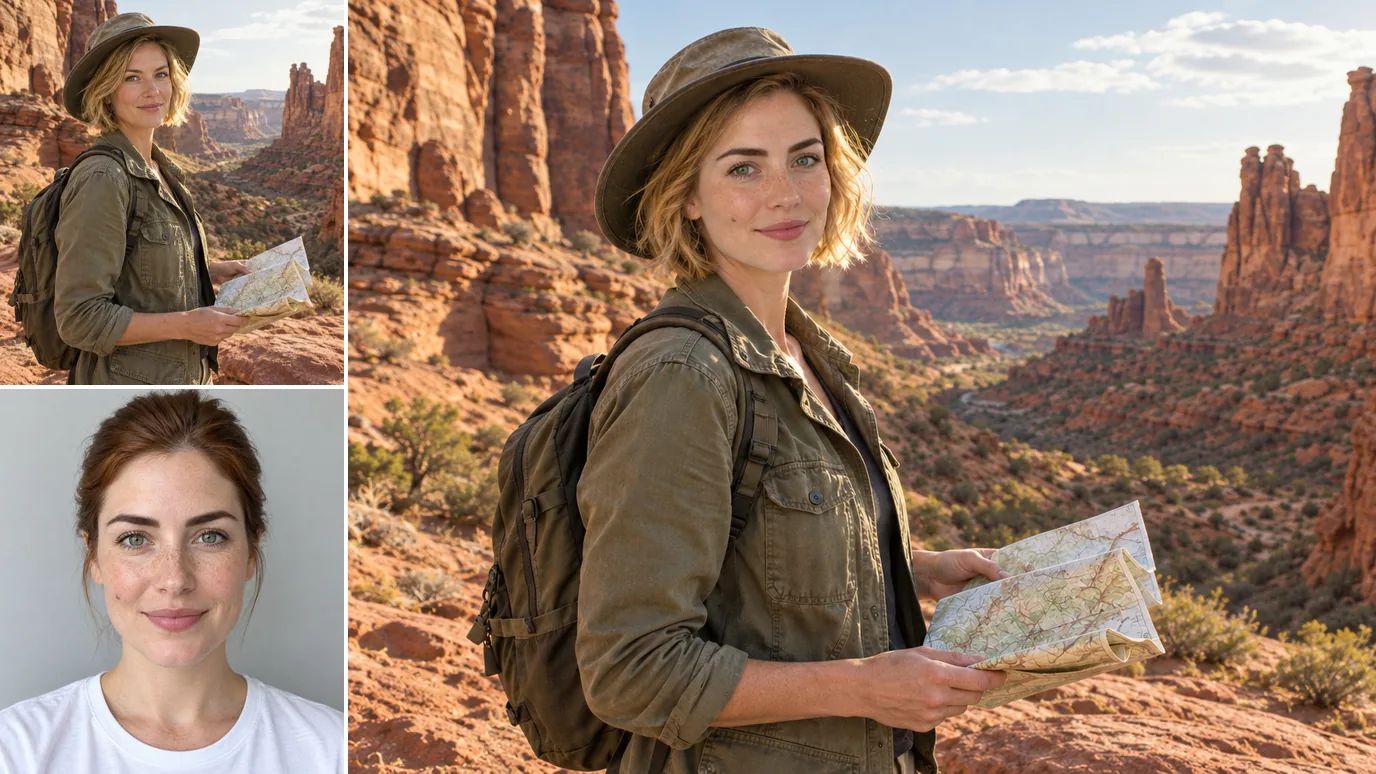
Face swap example: a woman in a field jacket and canvas hat holding a map in a desert canyon and a portrait of a freckled woman, combined into the canyon photo with the freckled woman's face

Mock Up Ads with Consenting Models

Show a client how a campaign shot could look with another model from the shortlist. Use the lifestyle photo as the original image and a photo of a model who signed a release; the outfit, product and set stay the same.
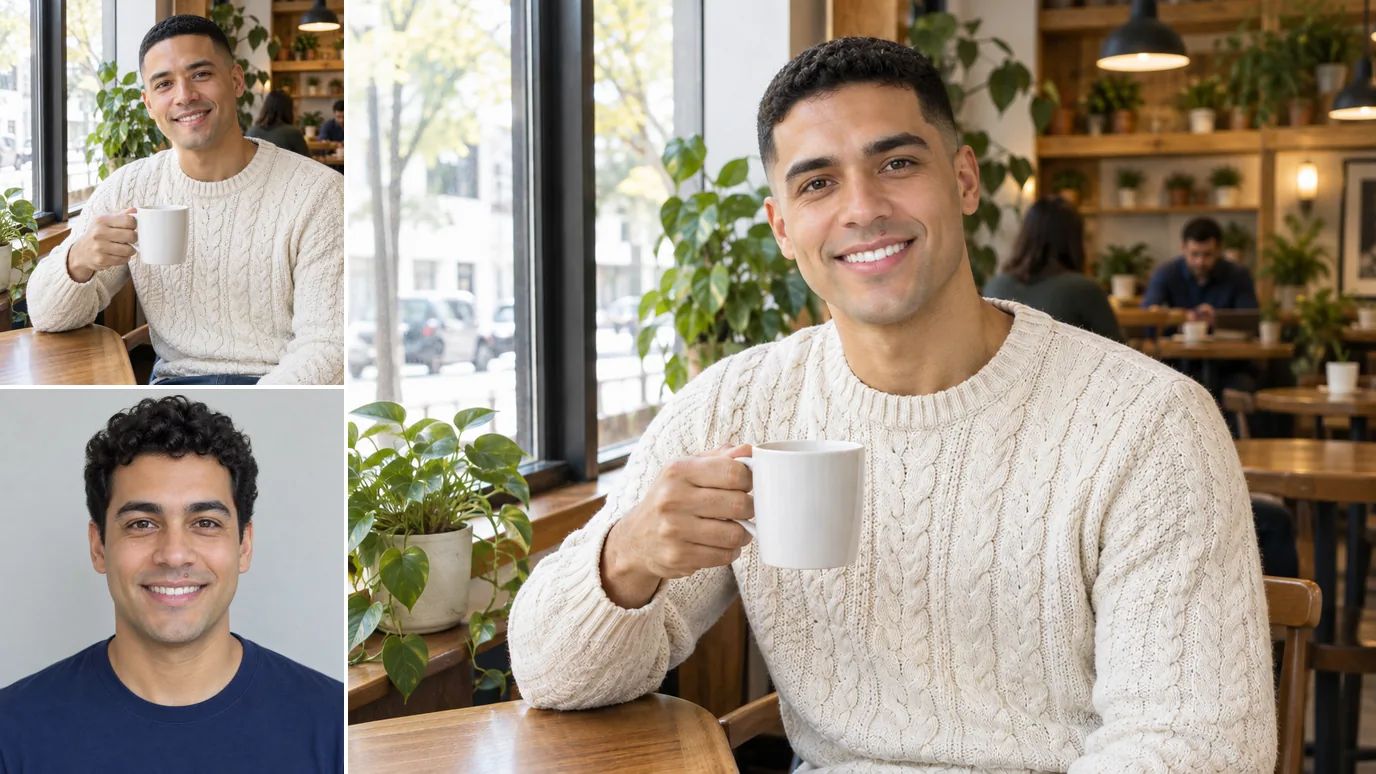
Face swap example: a man in a cream knit sweater holding a mug in a cafe and a portrait of a man with short curly hair, combined into the cafe photo with the second man's face

Who Uses a Photo Face Swap

People who want to see a face in a new photo, with everyone in the picture on board.

Cosplayers & Costume Makers

See a character or costume on the person who will wear it before you sew, buy or rent.

Friends & Families

Lighthearted edits for birthdays, group chats and albums, made with the people in them.

Writers & Creators

Cover ideas, storyboards and photo stories with a cast who agreed to take part.

Marketers & Agencies

Ad mockups and pitch boards with models who signed a release.
How to Swap Faces in a Photo

  1. Upload the Original Image

    Sign in and add the photo whose pose, hair, clothing and background you want to keep. PNG, JPG or WEBP, up to 15 MB and 4096 × 4096 pixels.

  2. Upload the Target Face

    Add a clear photo of the face to use, from someone who has agreed to the swap. The same limits apply.

  3. Create and Download

    Click Create, then download the result when it's ready or find it later on the Create page.

Explore More AI Image Tools

Need a different fix? Each of these tools does one job well.

AI Image Generator

Create images from a text prompt with GPT Image 2.5, Nano Banana, Seedream and more.

Image to Image AI

Use a photo as the reference and generate it again in a new style, light or setting.

AI Photo Editor

Describe a change in plain words and edit the photo, no masks or layers.

AI Inpaint

Brush over one area and describe what should be painted there.

Background Remover

Cut out the subject in one click and download a transparent PNG.

Object Remover

Brush over people, text or clutter and erase them cleanly.

Watermark Remover

Clear date stamps, logos and text overlays from your own images.

AI Background Changer

Replace the background with a new scene described in a text prompt.

Image Upscaler

Enlarge photos up to 16× with sharper detail and clean edges.

AI Uncrop

Extend a photo beyond its borders to fit any aspect ratio.

Image to Video

Bring your edited photo to life as a short video clip.

FAQs

A photo face swap takes the face from one picture and puts it on the person in another, whose pose, hair, clothes and setting stay the same.

Upload the original image, which keeps its body, hair and background, and the target face to put in. An AI face swap model then replaces the face; there's no prompt, mask or setting to adjust.

Yes. New accounts get free credits at signup with no card required, and the price of each face swap shows on the Create button. Downloads on the free tier carry a MaxH3 watermark; Lite and above remove it.

Only swap faces of people who have agreed to it, using photos you have the right to use. Never use a face swap to impersonate, deceive or harass anyone. Our Terms of Service prohibit unauthorized face swapping and misleading deepfakes, and you are responsible for following them.

Each swap uses one original image and one face photo, so one face goes in per swap. For a predictable result, use an original image with one clearly visible person.

Use a sharp, evenly lit face photo facing the camera, with nothing covering the face. Similar head angles and lighting in both photos tend to look more natural.

No. Only the face is replaced; hair, body, clothing and background come from the original image. For other changes, describe them in the AI photo editor.

PNG, JPG and WEBP images up to 15 MB and up to 4096 pixels on each side, for both the original image and the face photo.

Yes. Choose Re-edit on the result on the Create page; both photos load again, so you can swap either one.

Yes, with permission. Any paid plan or credit pack includes a commercial license and watermark-free downloads, and our Terms of Service require permission from every person whose likeness appears in the result.

Put a Face in a New Photo

Upload an original image and a face photo, then click Create.