AI Face Enhancer
AI Face Enhancer

Restore Blurry Faces With an AI Face Enhancer
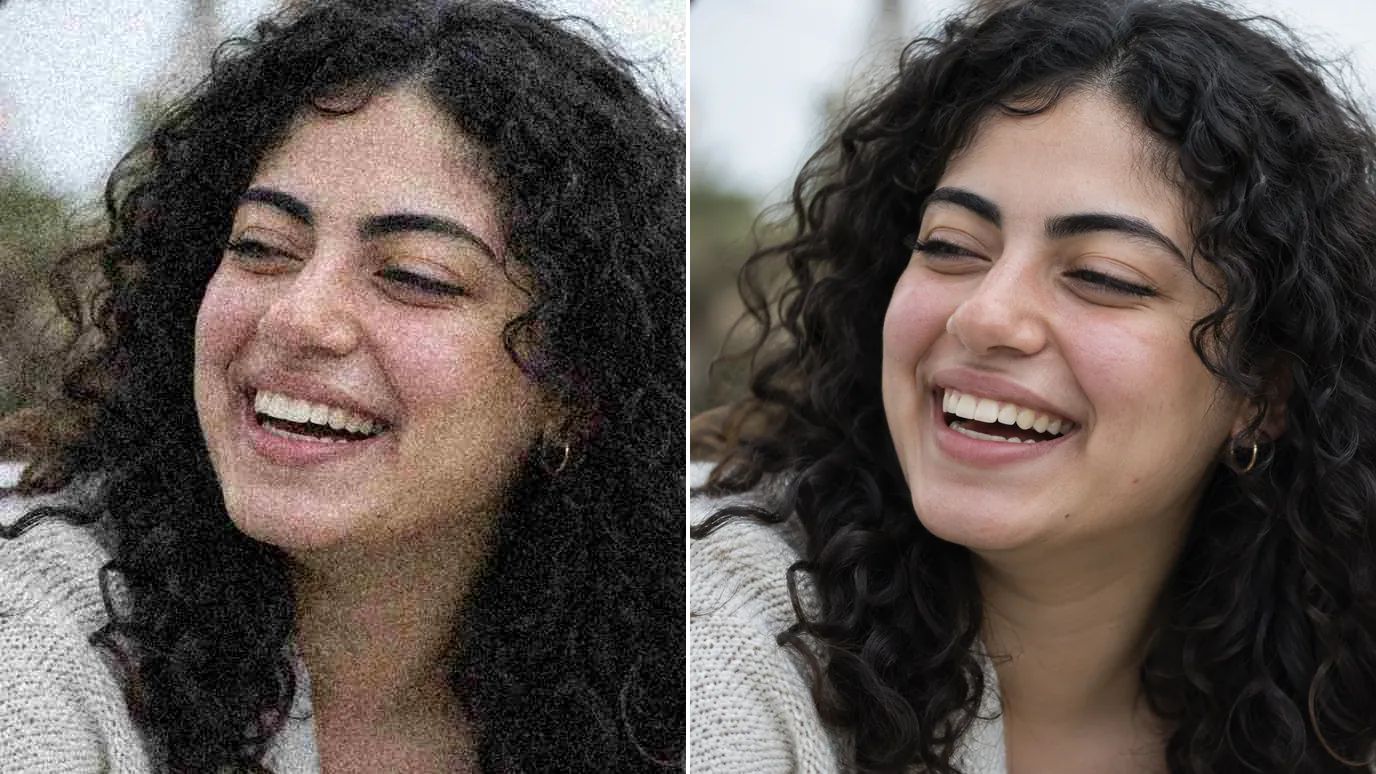
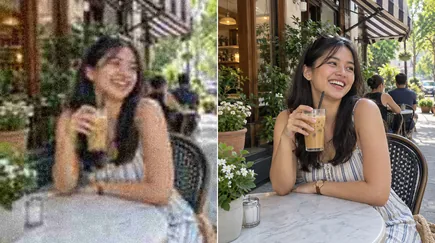
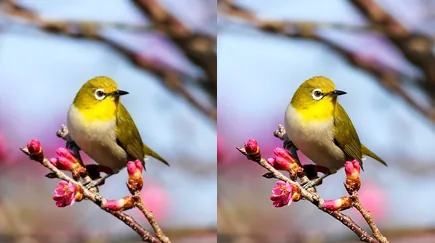
Upload a portrait, group photo or old snapshot, and the AI face enhancer finds each face and restores it: clear eyes, natural skin and defined features, while the rest of the photo is enhanced too. Enlarge up to 16× if you need a bigger print, or keep the original size.
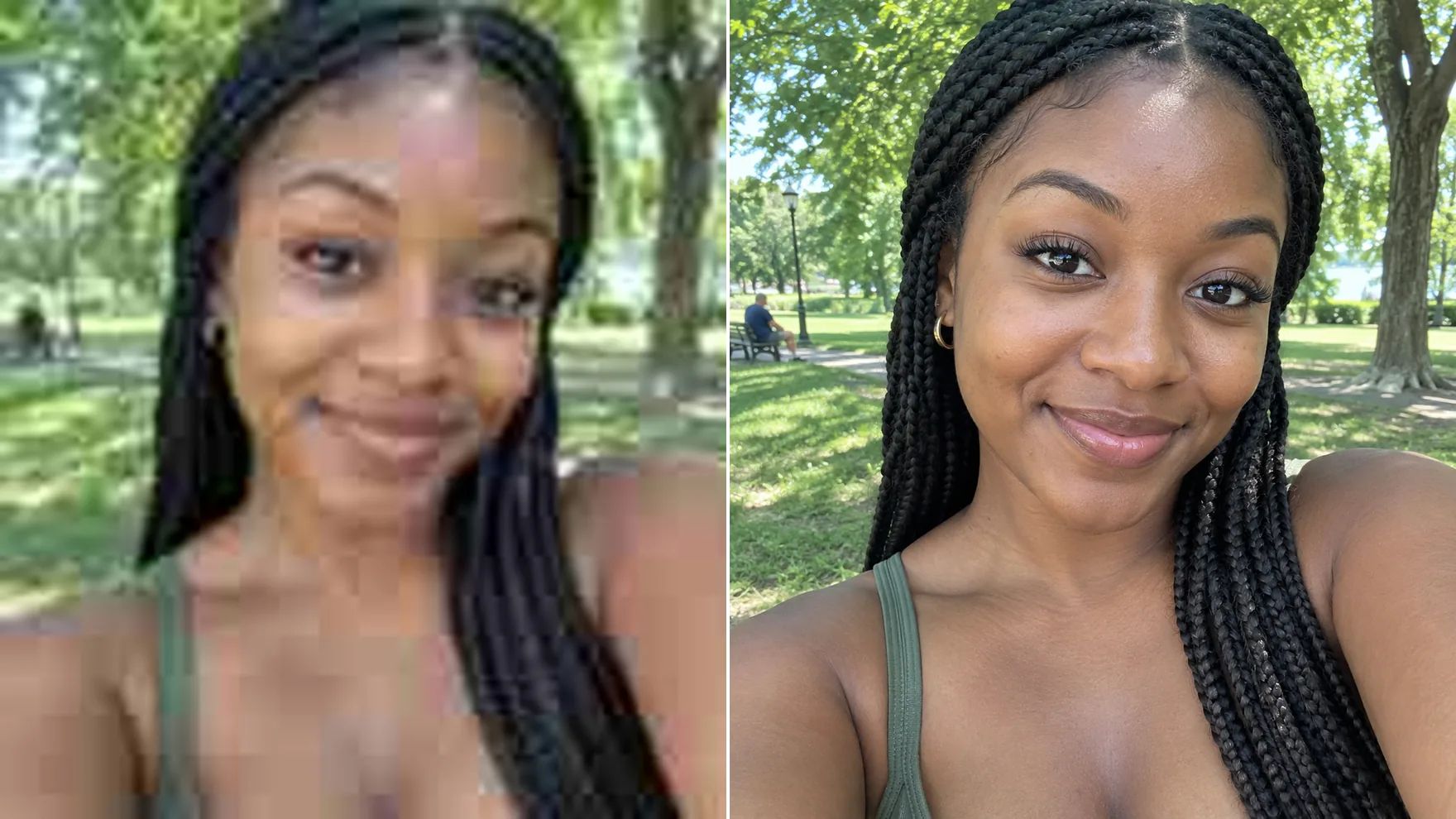
Fast, Natural Results From an AI Face Enhancer
Sharper faces that still look like the person in the photo.
Sharpen Low-Resolution Portraits
Faces are often the smallest part of a photo, so they blur first. The face enhancer rebuilds eyes, brows, lips and hair strands, and you can upscale 2× to 16× in the same step.
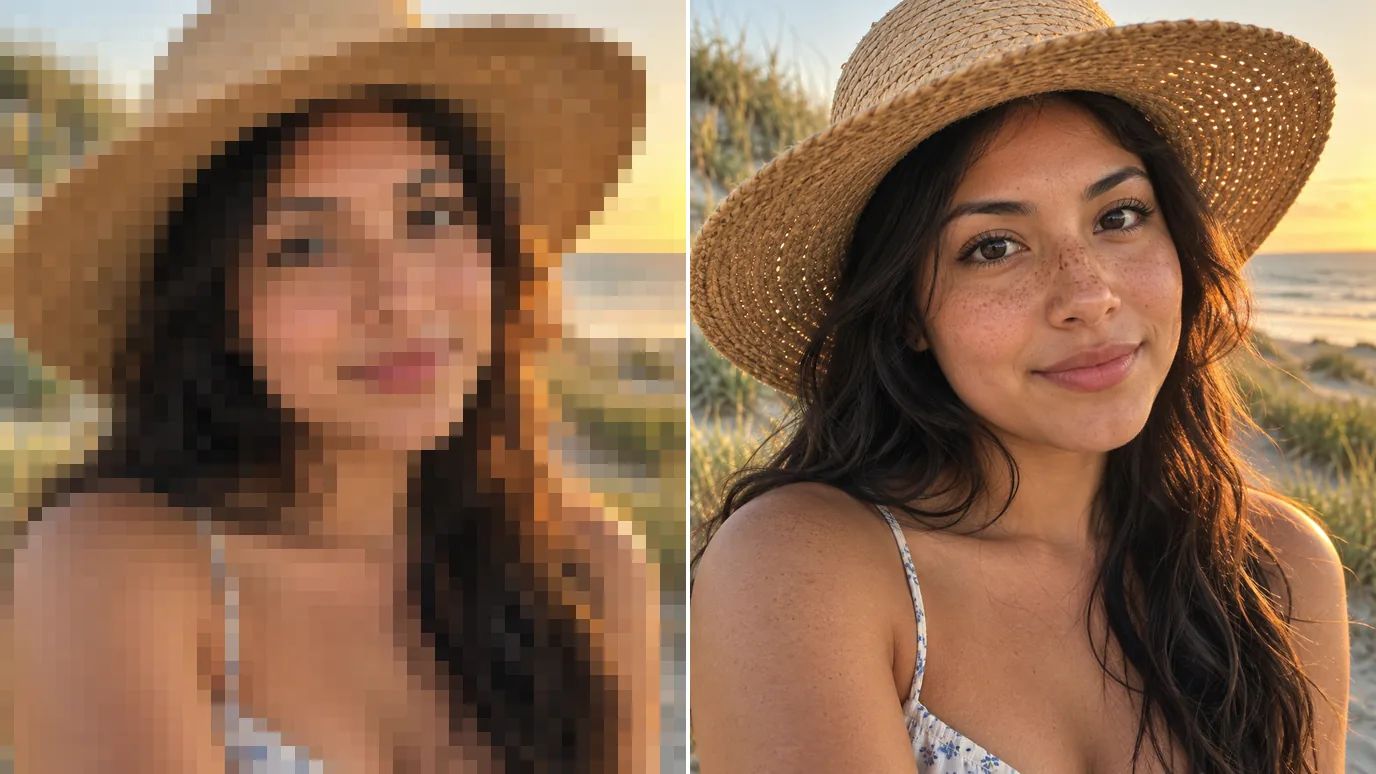
Restore Old and Scanned Portraits
Scanned prints and early phone pictures lose detail in faces first. The AI face enhancer brings back definition while keeping each person's features, so family photos are ready to share or reprint.
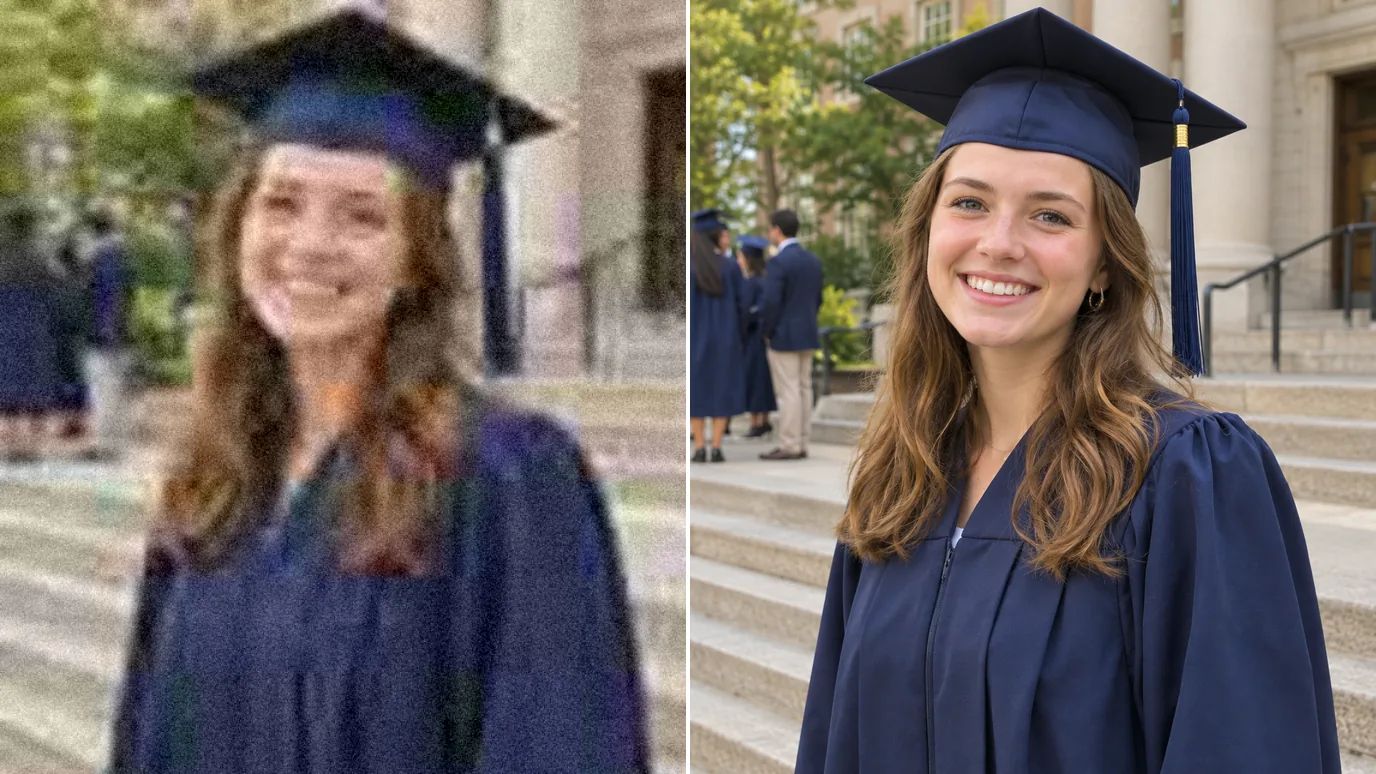
Remove Blur, Noise and Compression
Settings let you tune Sharpen, Denoise and Fix Compression, so low-light selfies and images saved from chats come back clean without a plastic, over-smoothed look.
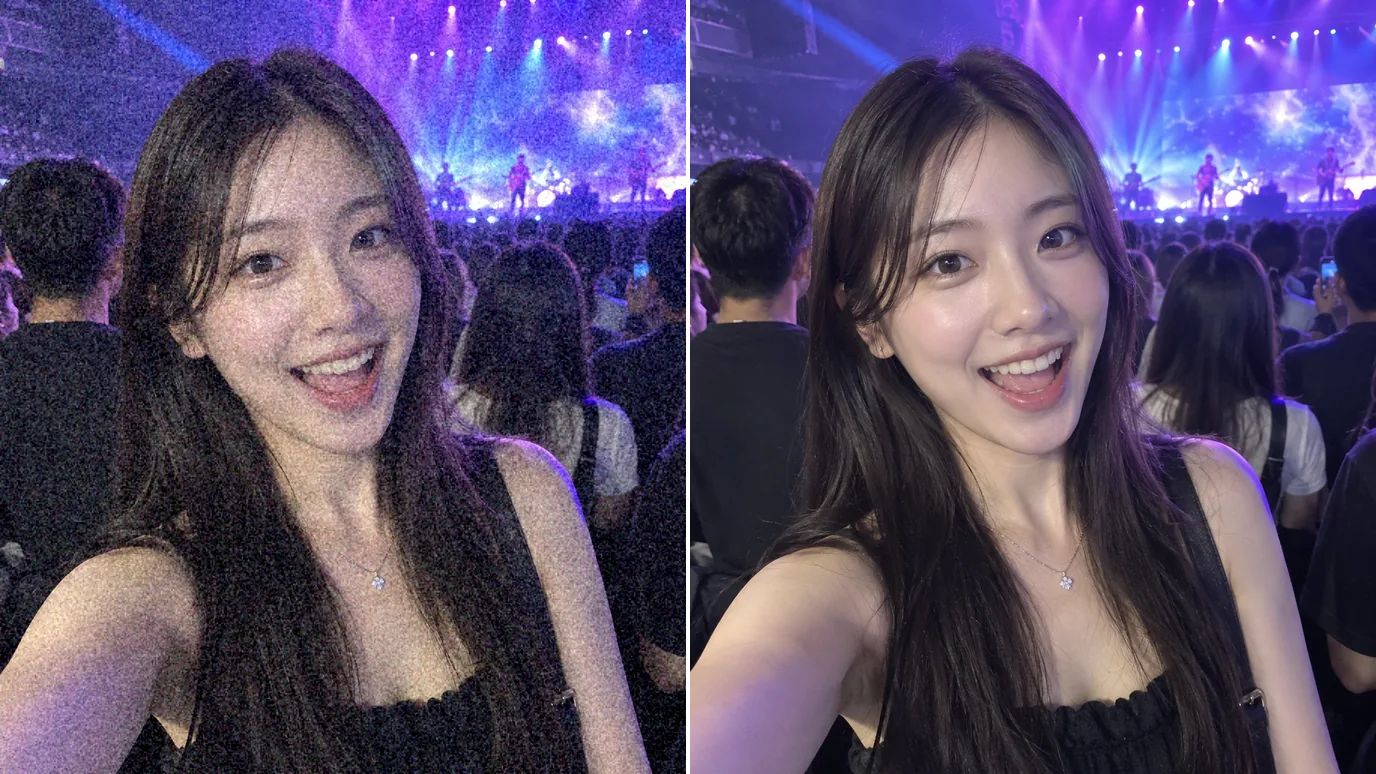
Smooth, Natural Skin
The face enhancer brings back real skin texture instead of a plastic, airbrushed look: pores and fine lines stay believable while noise and compression blotches on the skin are cleaned away. Expressions keep their shape, and the subject still looks like themselves.
Who Uses an AI Face Enhancer
Anyone whose best photo has a face that came out soft.
Creators & Influencers
Clearer selfies and thumbnails that look good on any screen.
Profile Photos
Sharper headshots for professional profiles, résumés and team pages.
Family Memories
Clear faces in old prints, scans and early phone photos.
Marketing Teams
Polished faces for campaign and product visuals.
How to Make Your Face Look Better in Photos
Upload Your Photo
Sign in and upload a PNG, JPG or WEBP image up to 10 MB and 4096 pixels on each side.
Choose the Scale and Mode
Keep Original to enhance at the same size, or choose 2× to 16×. Face recovery is always on here; pick High Fidelity mode for portraits that are already fairly sharp.
Create and Download
The price for your image appears on the Create button. Click it, then download the enhanced photo when it's ready.
FAQs
Give Every Face a Clear Close-Up With the AI Face Enhancer
Upload a portrait or group photo and get clear, natural faces in one step.