
Seedream 5.0 Pro AI Image Generator
ByteDance's quality-first Seedream 5.0 tier for infographics, multilingual posters and lifelike portraits. Create or edit images at 1K or 2K on MaxH3.


Discover What Seedream 5.0 Pro Can Create
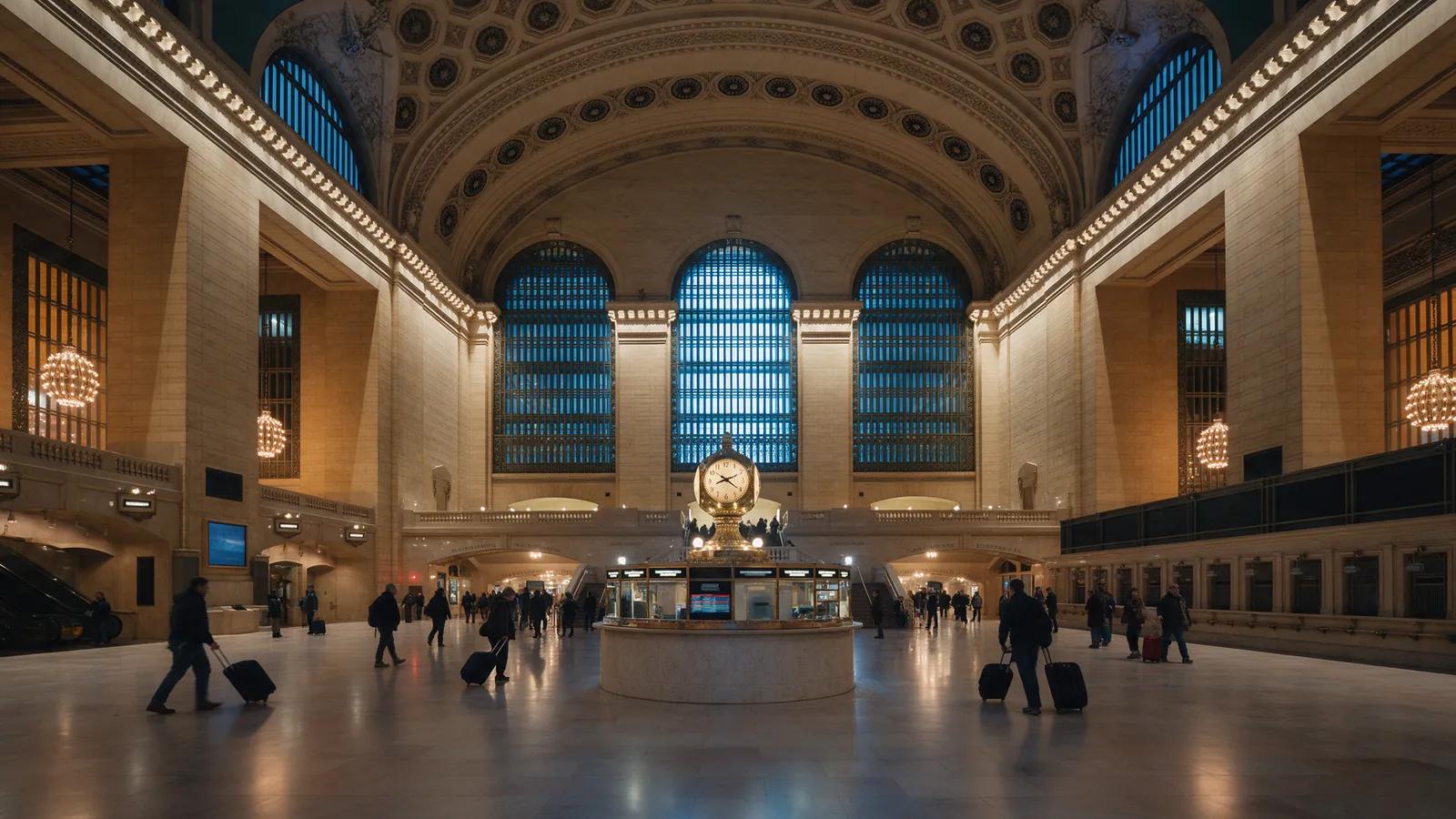
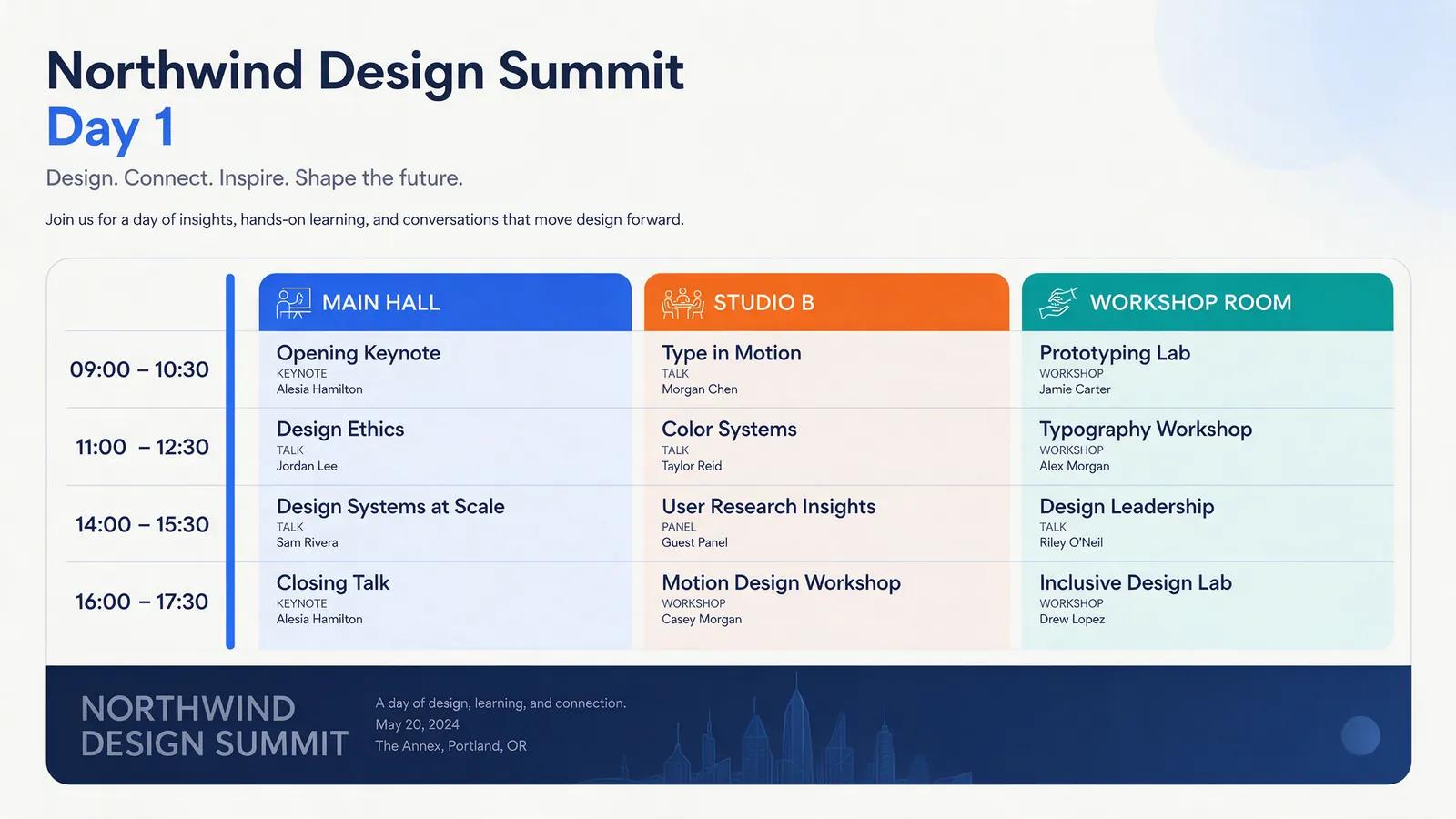
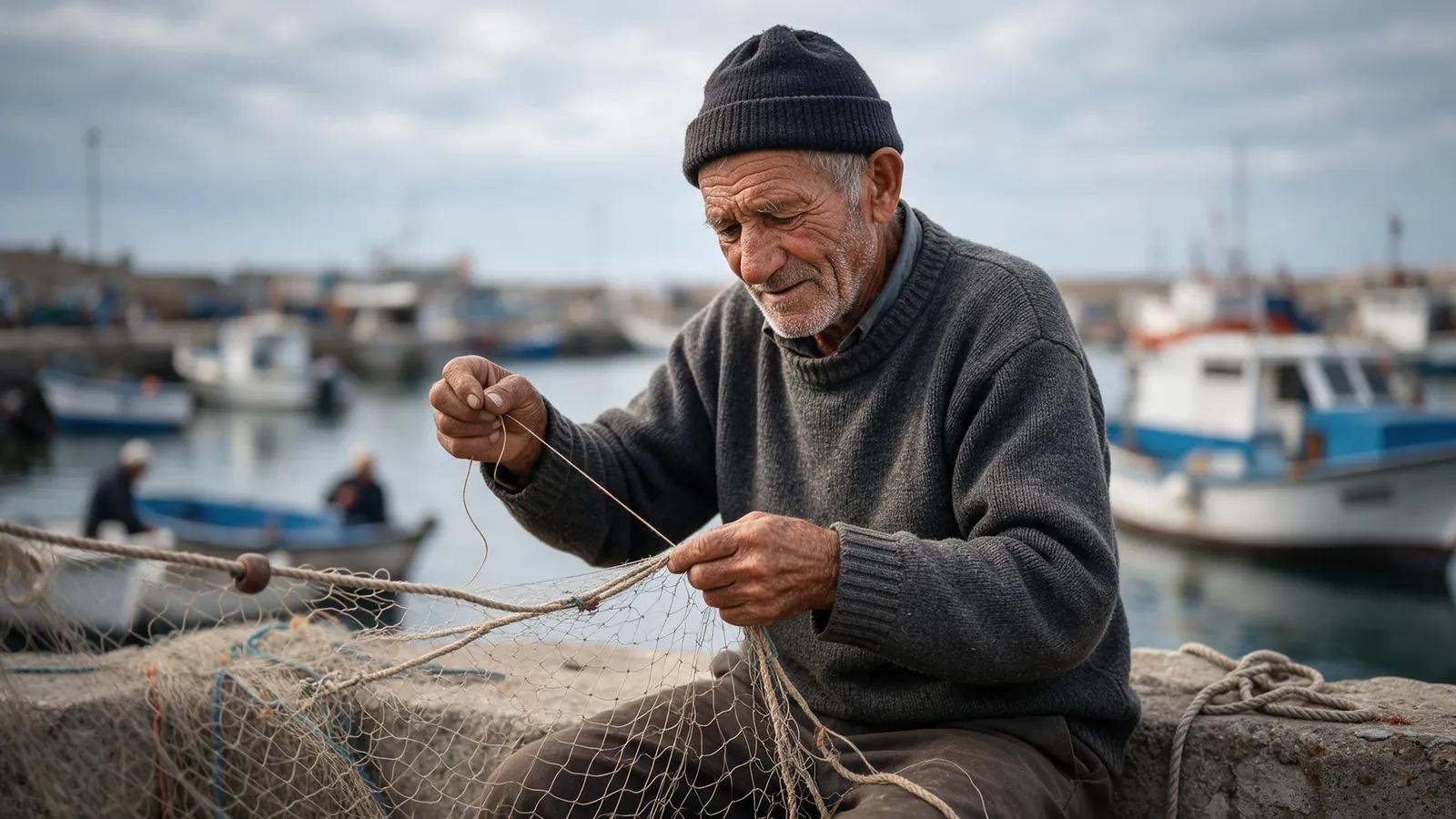
An event schedule, an environmental portrait, a multilingual travel poster, a jewelry close-up, an architectural section and a station interior. Every image here was generated with Seedream 5.0 Pro on MaxH3.



Key Features of Seedream 5.0 Pro
- High-Density Infographics: Text-rich charts, diagrams and slides organized into one readable layout.
- Interactive Editing With Annotations: Draw boxes and notes on a photo, and Pro edits exactly what you marked.
- Sketch Guidance: Draw the Layout First: Sketch where everything goes, and Pro renders a finished photo that keeps your layout.
- Photographic Visual Quality: Physical lighting, natural shadows and real skin texture in portraits.
- Native Multilingual Generation: Labels and signs in Chinese, English and 14 more languages, from one design.
- Exact Placement With Box Coordinates: Box the product and the target spot with coordinates, and Pro puts it right there.
- Layer Separation: ByteDance built Pro to split one image into a base plus up to 16 transparent layers.
High-Density Infographics
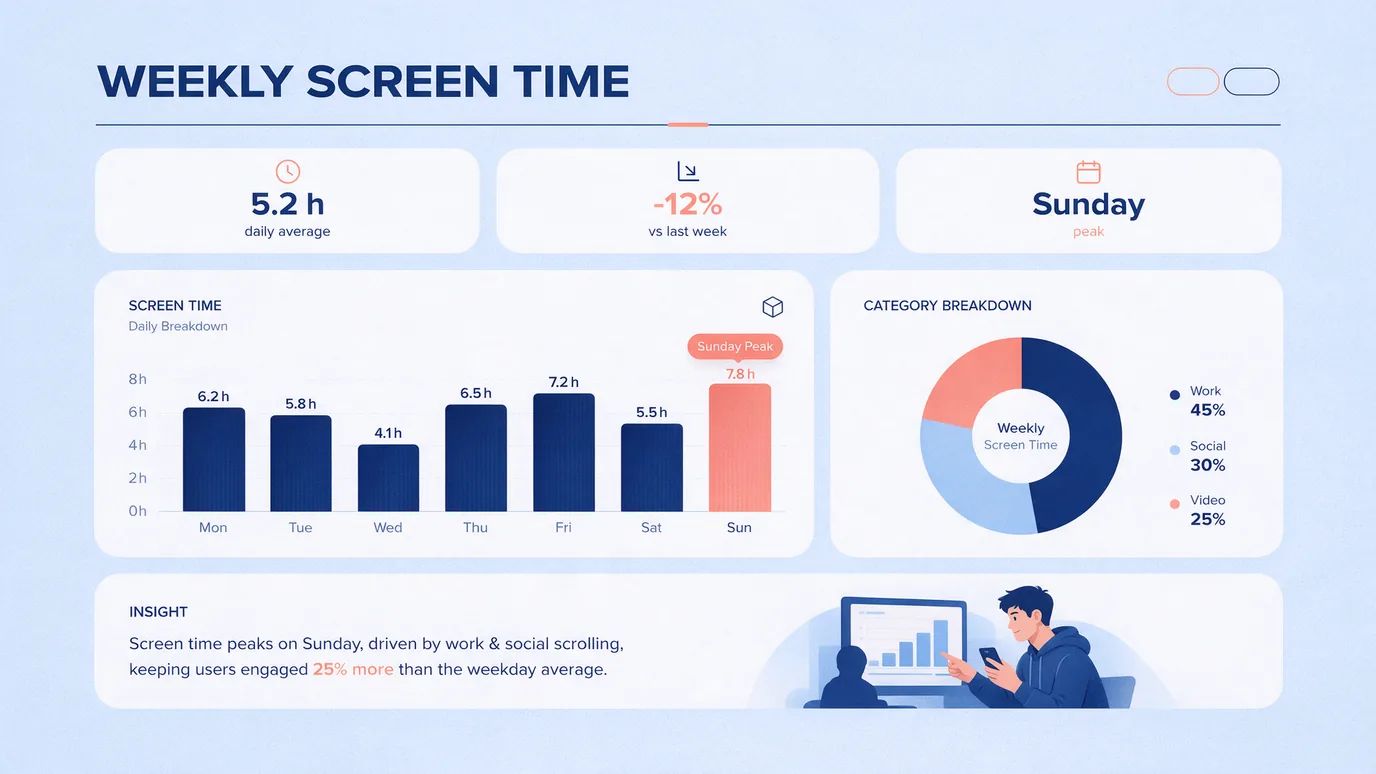
A bar chart, a donut chart and three key-number tiles in one frame, with every label readable. ByteDance aims Pro at images that have to carry a lot of information, such as lesson material and work documents, so a handout or report graphic starts from a prompt instead of a blank canvas. List every number and label, and check the data before you publish.
Interactive Editing With Annotations
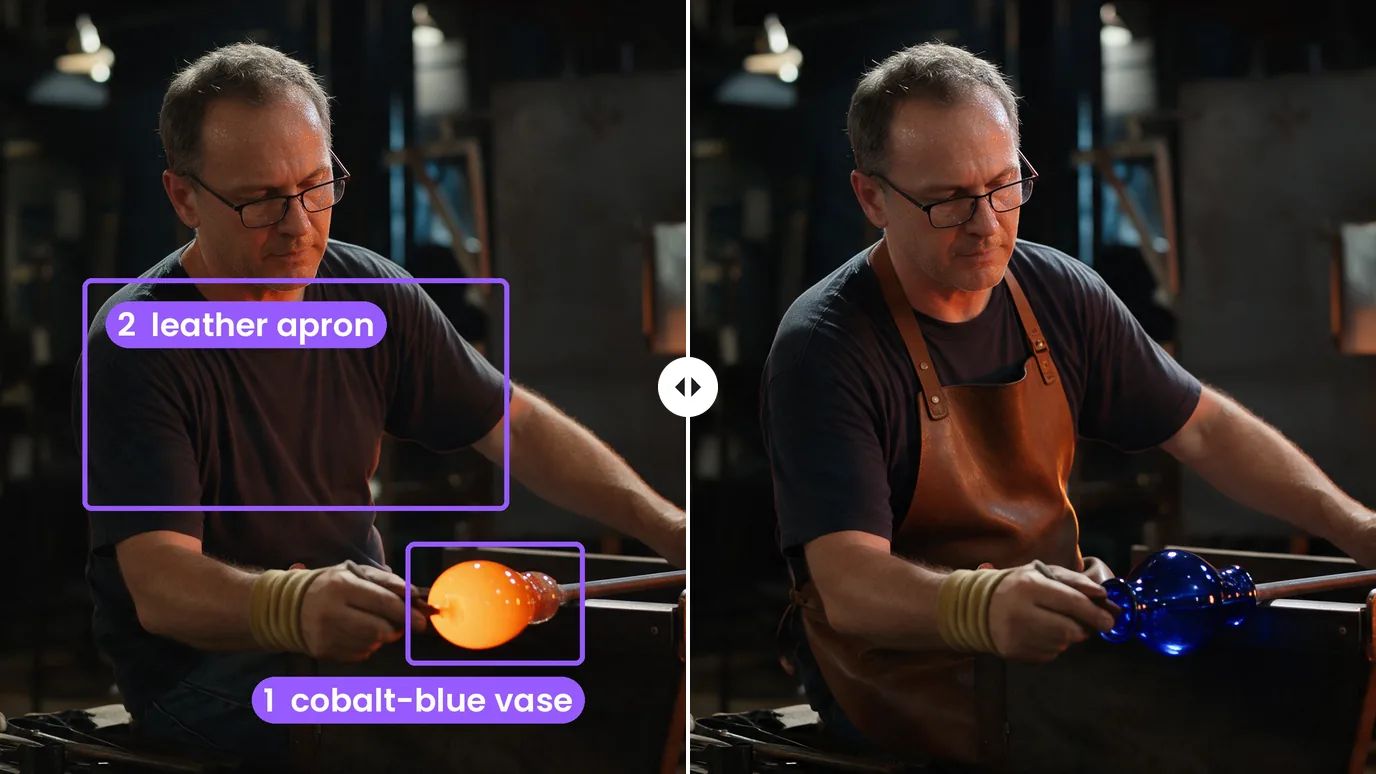
Two purple boxes and two short notes: the glass became a cobalt-blue vase, the glassblower got a leather apron, and the marks disappeared. ByteDance built Pro to read the boxes, notes and marks you draw on a photo as editing instructions, so you show where a change goes instead of describing it. Mark up your photo in any editor, upload it and ask Pro to follow the annotations.
Sketch Guidance: Draw the Layout First
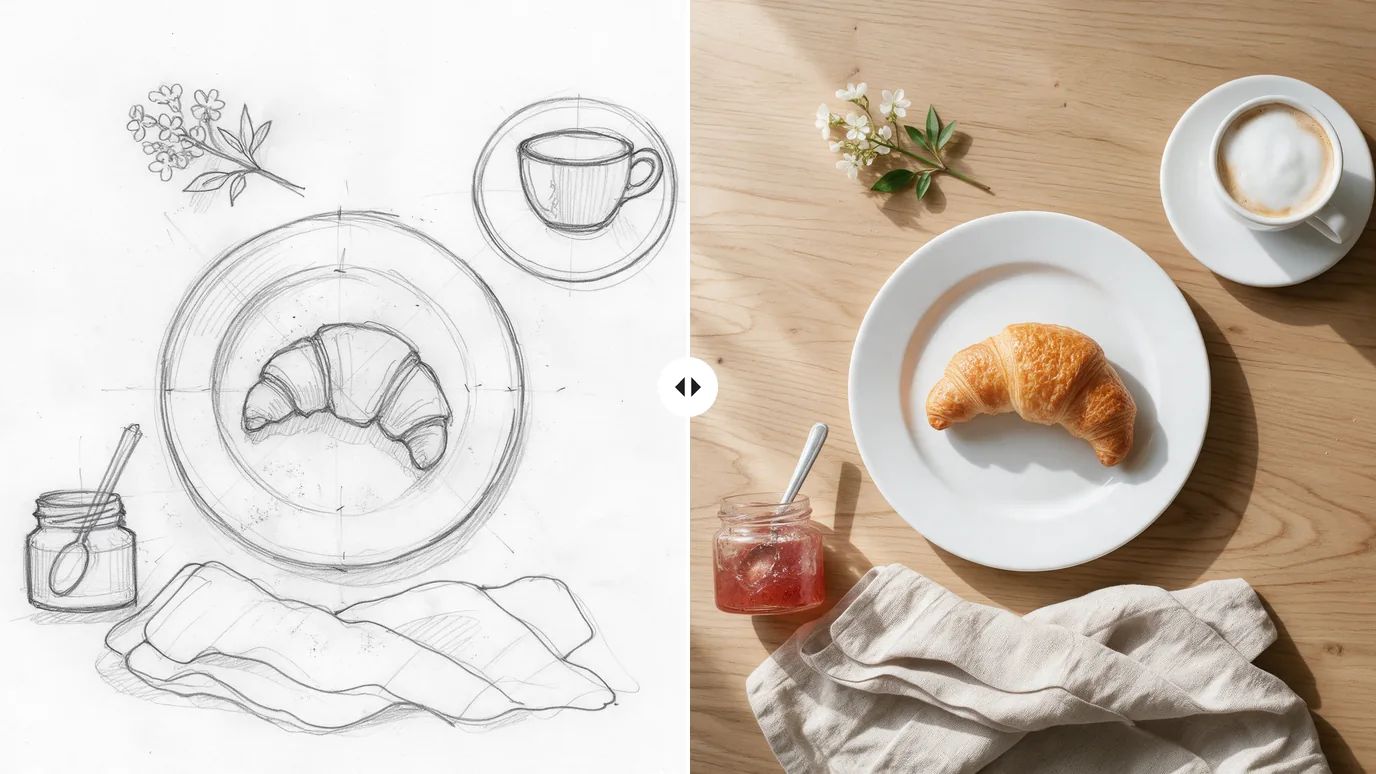
A loose pencil sketch of a breakfast table on the left; on the right, a lifelike overhead photo with the croissant, coffee cup, jam jar and napkin where they were drawn. Sketch guidance is part of Pro's interactive editing toolkit. Upload a photo or scan of your drawing, then describe the materials, light and style, and the composition comes straight from your sketch.
Photographic Visual Quality
Soft window light, fine strands of silver hair and skin that keeps its texture. ByteDance tuned Pro, the quality-first Seedream 5.0 tier, for believable light, shadow and skin: the details that make portraits, fashion shots and lifestyle images look photographed rather than generated. Name the light source, the lens and the mood, and choose 2K for the finest detail.

Native Multilingual Generation
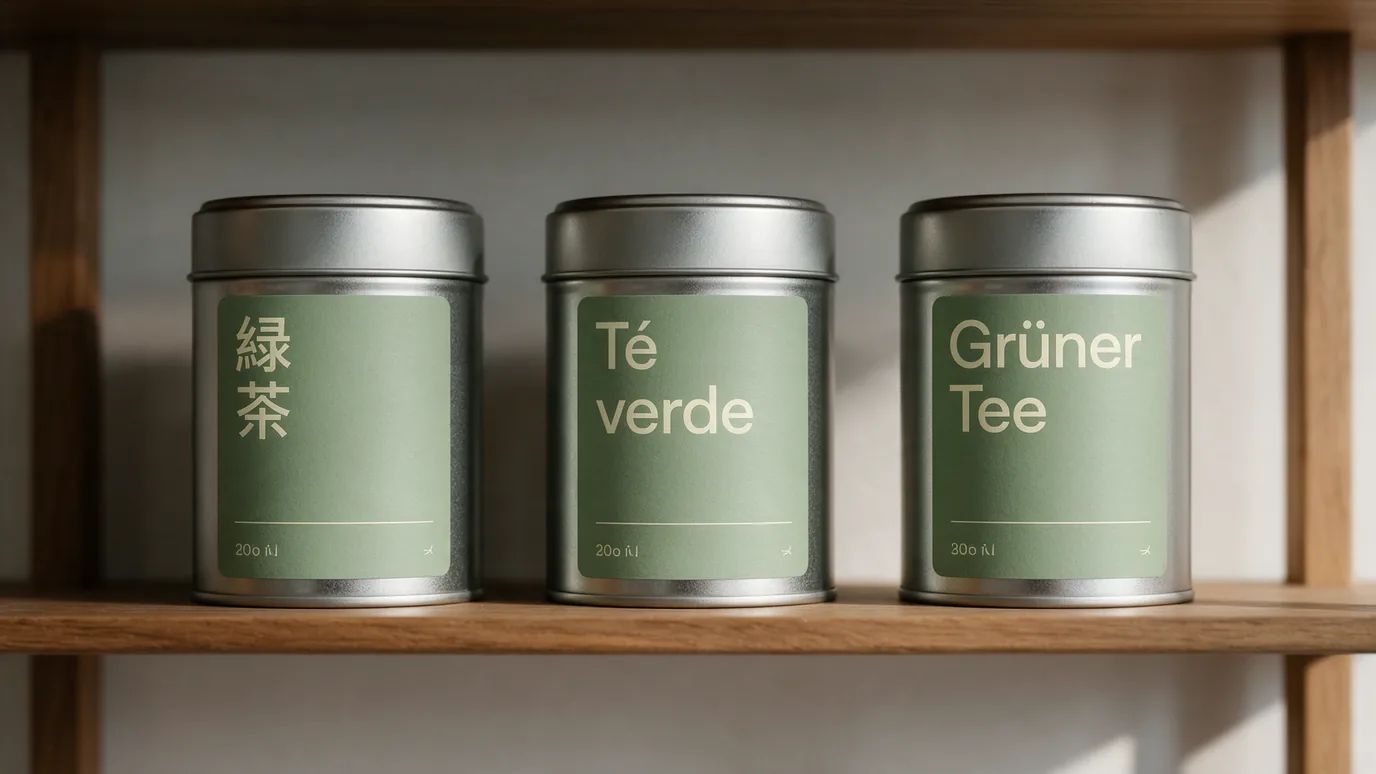
Three tea tins labeled in Japanese, Spanish and German, all from one shared label design. ByteDance documents native text generation in Chinese and English plus 14 additional languages, among them Arabic, Thai, Vietnamese and Korean. Quote the exact words for each label, keep them short, and a single design is ready to ship to several markets.
Exact Placement With Box Coordinates
A potted olive tree from a studio shot, set exactly where the box on the second photo says, in the room's own window light. Mark the item in one image and its destination in another with bbox coordinates on a 0 to 1,000 scale, as ByteDance's editing guide shows. It suits furniture, décor and product mockups.

Layer Separation
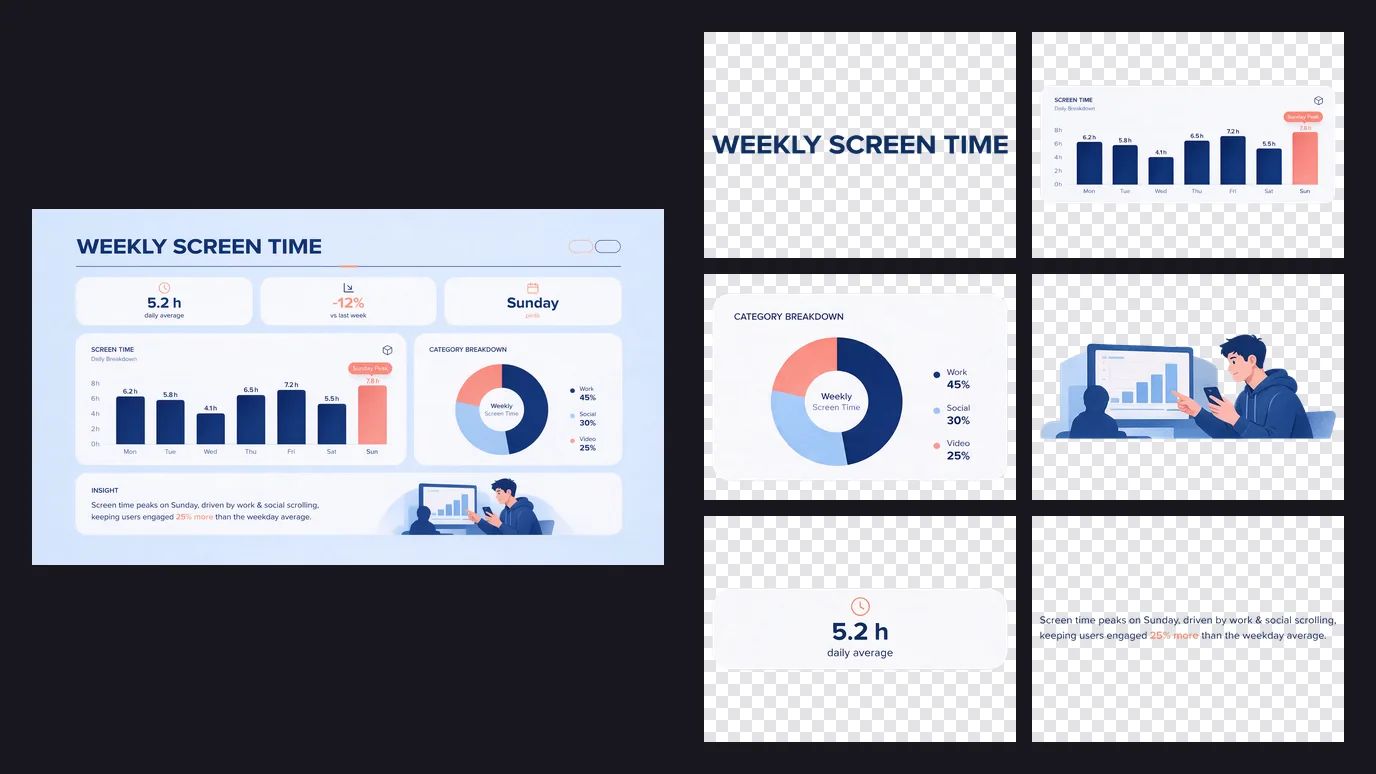
The Weekly Screen Time infographic, taken apart into separate transparent layers. Layer decomposition is a Seedream 5.0 Pro capability: the model can return a base image plus up to 16 alpha layers, so text, charts and artwork can be moved or restyled one at a time. MaxH3's generator does not export layers yet; for now, Pro delivers the finished, flattened image here.
Who Gets the Most Out of Seedream 5.0 Pro
ByteDance positions Pro as the higher-quality Seedream 5.0 tier, and that pays off wherever text, layout and realism all have to hold up.
Course Creators and Trainers
Turn a lesson outline into a labeled infographic or slide graphic; Pro is built to fit many facts into one readable layout. Check the facts before class.
Creative Leads and Ad Agencies
Sketch a layout or mark up a draft with boxes and notes, and Pro follows the drawing, so you show where a change goes instead of explaining it.
Furniture and Décor Sellers
Drop a studio shot of a chair or lamp into a room photo at exact box coordinates and show it in context without staging a set.
Beauty and Lifestyle Brands
Create portraits and lifestyle images with natural light, believable shadows and true skin texture, the qualities ByteDance tuned this tier for.
Brands Selling Abroad
Put native lettering in Chinese, English and 14 more languages on one label or poster design, so each market gets its own version.
Seedream 5.0 Pro vs Nano Banana 2 vs GPT Image 2
| Feature | Seedream 5.0 Pro | Nano Banana 2 | GPT Image 2 |
|---|---|---|---|
| Strongest At | Dense infographics and edits you draw on the image | World knowledge and in-image translation | Small text, UI and dense layouts |
| Drawn-On Guidance | ✓ Follows boxes, notes and sketches on the image | Precise instruction following | Precise, controlled edits from text |
| Coordinate Control | ✓ bbox and point coordinates in the prompt | — | — |
| Layer Decomposition | ✓ Base image plus up to 16 alpha layers | Single flat image | Single image, optional transparent background |
| Multilingual Text | Chinese, English and 14 more languages | Legible text, plus translation inside images | Strong across scripts, incl. Japanese, Hindi and Bengali |
| Go-To Projects | Infographics, guided edits and lifelike portraits | Fast, knowledge-rich visuals and mockups | Text-heavy layouts and realistic photos |
Based on each developer's published description of its own model.
What Sets Seedream 5.0 Pro Apart
- Dense Information, Still Legible: Charts, labels and key numbers share one frame and stay easy to read, which makes Pro a natural fit for handouts, reports and slides.
- Show It, Don't Just Say It: Boxes, notes, sketches and bbox coordinates tell Pro exactly where a change belongs, so you stop rewording prompts to describe a position.
- The Quality Tier of Seedream 5.0: ByteDance positions Pro above Flash for image quality, with physical lighting, natural shadows and true-to-life skin texture.

How to Use Seedream 5.0 Pro on MaxH3
Open Seedream 5.0 Pro
Seedream 5.0 Pro is already selected in the generator above. Add reference images there to start from a photo.
Describe the Image
Describe the subject, style and light, quote any on-image text, then pick the ratio and resolution.
Generate and Download
Press the arrow. The result shows right here, ready to download or refine, and stays in your history.
More ByteDance's AI Image Models on MaxH3
FAQs

Put Seedream 5.0 Pro to Work
Bring your figures, a sketch or a marked-up photo and get a 2K image back. New accounts start with free credits.