AI Dance Generator
Make Any Photo Dance With AI
Upload one full-body photo, pick a dance, and MaxH3 makes the person in it perform every move. On the left, a dancer doing a shuffle in a garage; on the right, the young man from the corner photo doing the same steps in front of his own rainbow backdrop.
Real Dance Moves
The motion comes from the dance video, so steps, spins and timing follow it beat for beat.
Your Face, Outfit and Background
The person, clothes and setting all come from your photo. Only the movement comes from the dance.
Templates or Your Own Clip
Start from a ready-made dance or upload any 3–30 second video of one person dancing.
Try Different Dances With One Photo
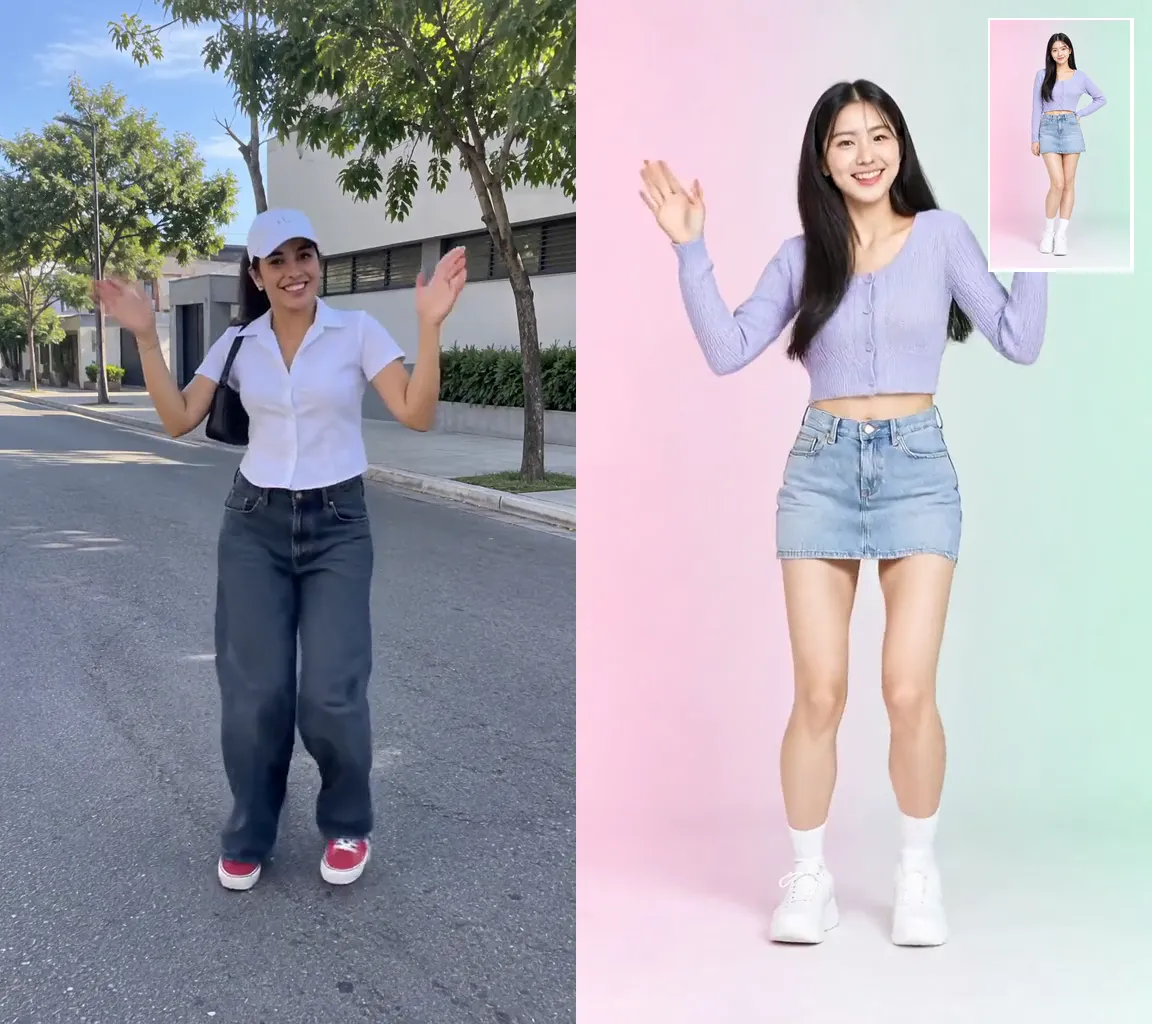
The woman in the lilac cardigan who dances on the street at the top of this page now does a point-at-the-camera challenge from a bedroom selfie video. Pick another template and the moves change, while her face, outfit and pastel backdrop stay the same.
Natural, Full-Body Motion
A gray-haired dancer's retro pop routine, with kicks, toe stands and sharp leans, carried over to the young woman in the green rugby shirt. Weight shifts, turns and pauses land on the same beats as the original.
Make Anyone Dance From a Single Photo
One still fashion shot of a young woman in a white cap is enough. The hand dance from a seated selfie video, with face framing, crossed arms and a finger heart, plays out on her from head to toe.
Vertical Dance Clips for TikTok, Reels and Shorts
A snap-and-gesture selfie trend, performed by the young man in the bucket hat. The result comes back as a 9:16 clip as long as the dance video, with its music, ready to post.
More Ways to Use AI Dance
One photo, any dance you have the rights to use.
Turn Portraits Into Dance Hooks
Make a profile photo or product model dance for the first seconds of a TikTok, Reel or Short.
Give Your Own Dance a New Face
Film a routine to a song you love, then hand the moves to a different character.
Reimagine Classic Moves
Put retro pop, disco or shuffle routines on someone who would never dance them.
Party and Family Moments
Get friends, grandparents or wedding guests dancing from a single photo, with their permission.
How to Make a Photo Dance With MaxH3
Upload a Photo
Add a clear, front-facing photo with the whole body in frame: JPG, PNG or WebP. Or try one of the sample photos.
Pick a Dance
Choose a dance template, or upload your own MP4 or MOV of one person dancing, 3–30 seconds long, filmed with a still camera and no cuts.
Choose a Model and Create
Pick Kling 3.0, Kling 2.6 or DreamActor v2 and press Create. Our test clips were ready in four to seven minutes; download the MP4 from your workspace.
FAQs
Create Your Own AI Dance Video
Upload one photo, pick a dance, and watch the person in it dance.