AI Photo Editor

Describe the change and get a finished edit. Swap backgrounds, remove clutter, relight, restyle or combine photos with a single text prompt.
6

Edit Photos with Words, Not Layers

MaxH3's AI photo editor turns a plain-language instruction into a finished edit. Swap a background, clean up a product shot, relight a portrait or restyle a whole scene, and everything you didn't mention stays as it was. No masks, no layers, no editing skills required.
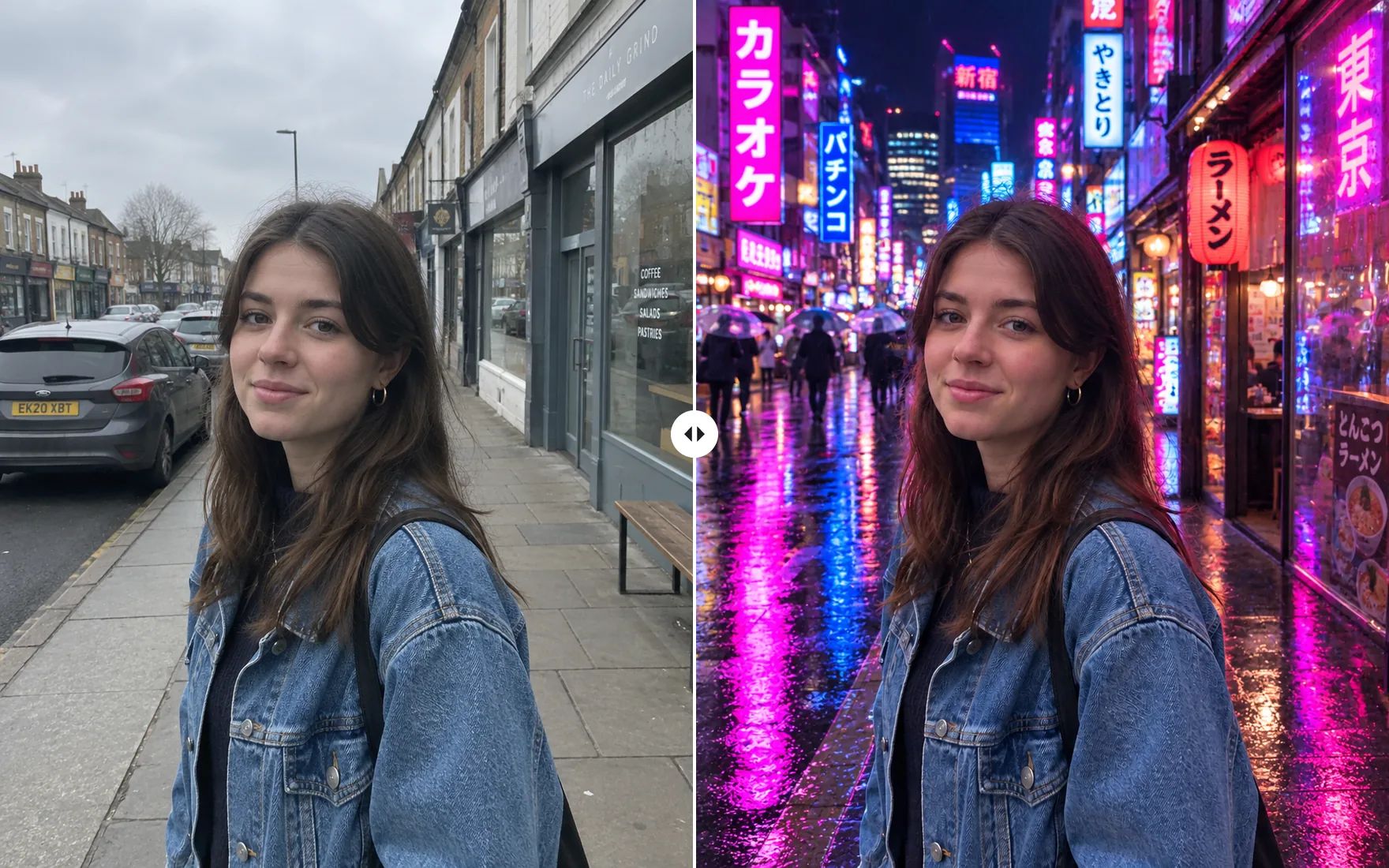
Before and after: a woman on a grey city street, edited into a neon-lit Tokyo street at night with the same face, pose and denim jacket

Everything a Photo Edit Needs, in One AI Image Editor

Describe the change once. The editor handles retouching, compositing and restyling in a single step.

Clean Up, Retouch and Relight in One Prompt

Ask for several changes at once — remove the background, erase distractions, put the subject in a new setting, warm up the light — and get one coherent result. When you need more pixels afterwards, the image upscaler takes it to print size.
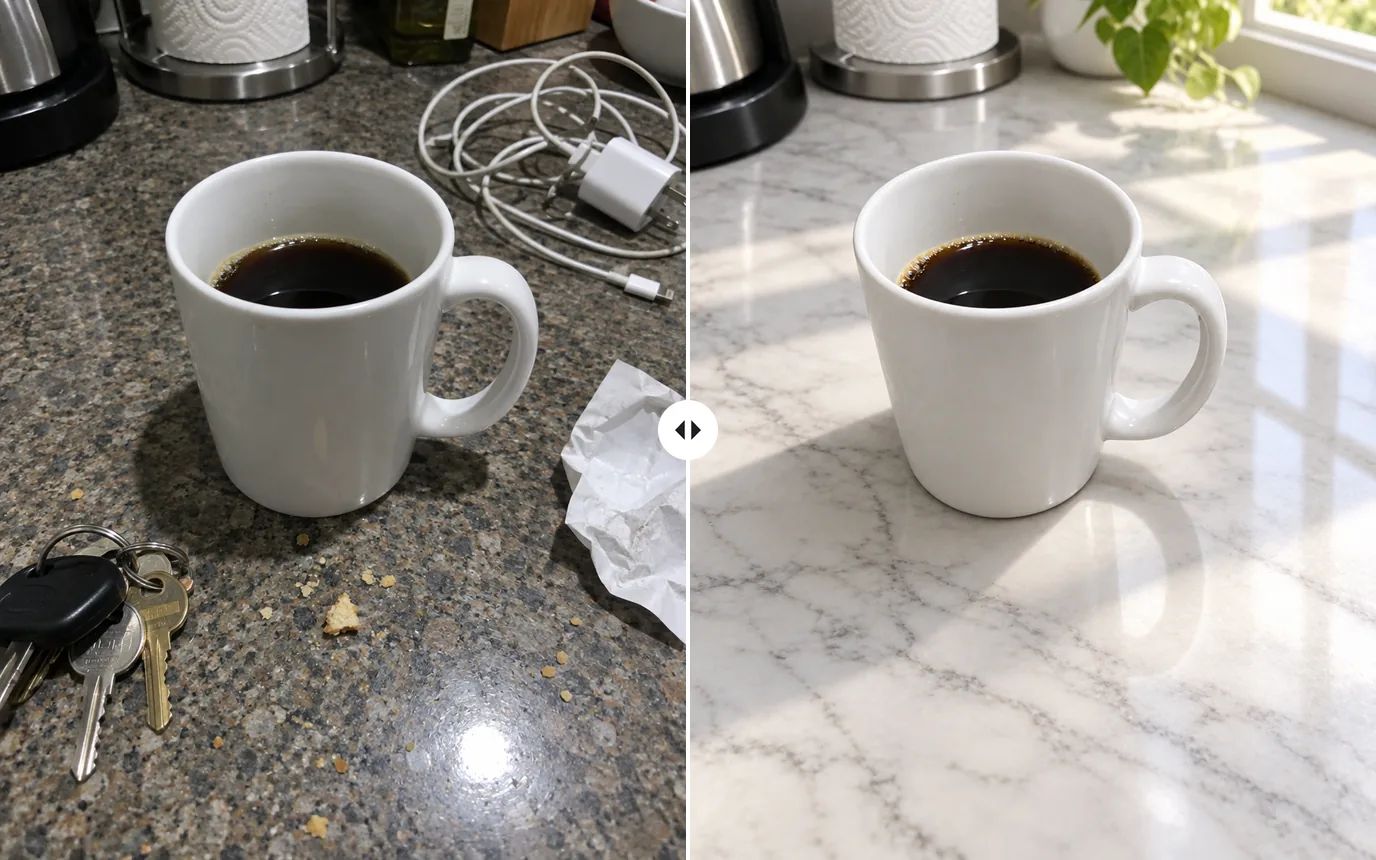
Before and after: a coffee mug on a cluttered kitchen counter, edited onto a clean marble counter in soft morning light

Combine Up to 16 Reference Images in One Edit

Upload a person, a product and a location, then tell the editor how they fit together. GPT Image 2.5 accepts up to 16 reference images per edit, so try-ons, product placement and composite scenes take one request instead of an afternoon of masking.
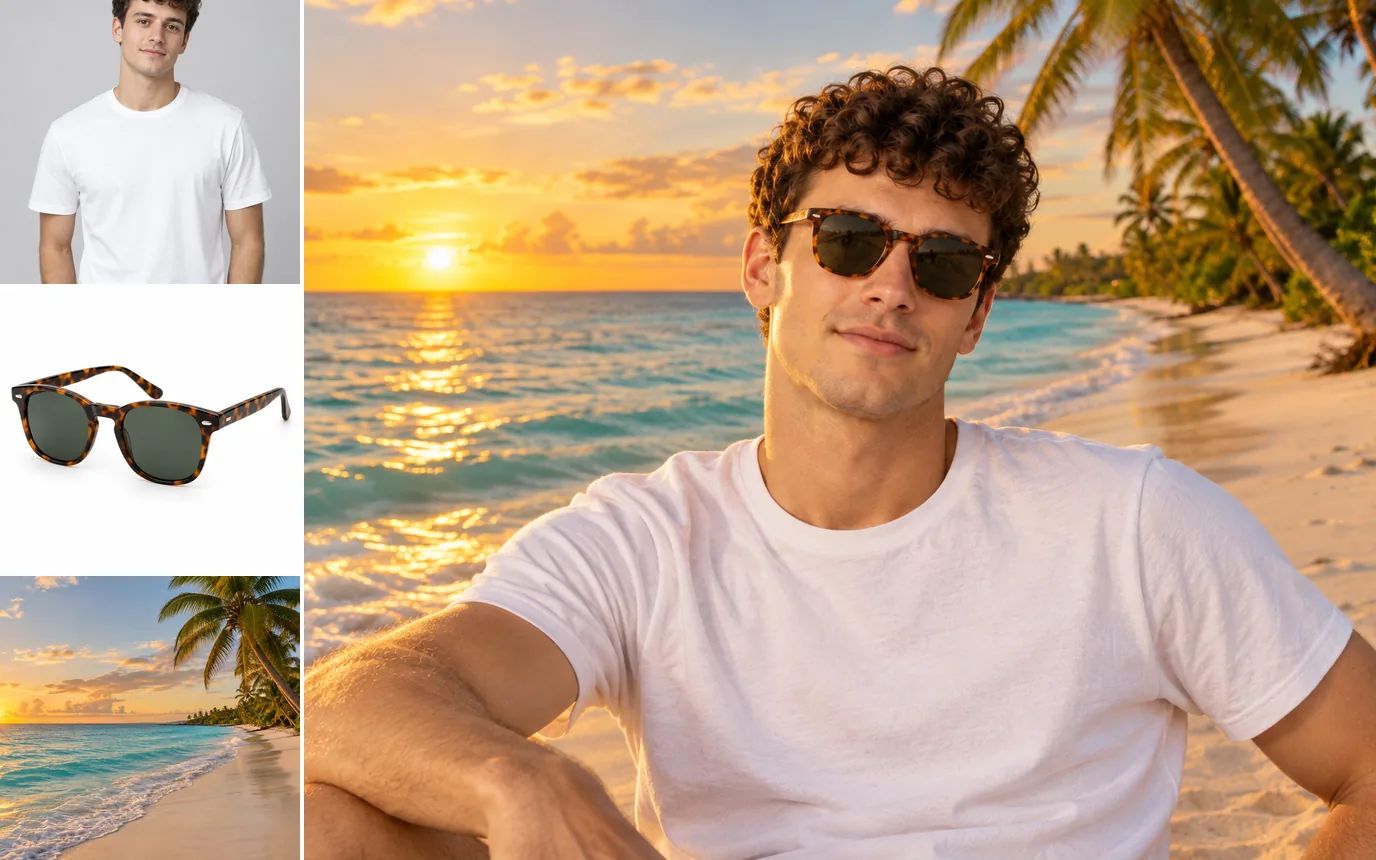
Three inputs — a man in a white t-shirt, tortoiseshell sunglasses and a tropical beach — combined into one photo of him wearing the sunglasses on the beach at sunset

One Photo, Many Looks, the Same Subject

Turn one portrait into watercolor, a 3D character, black-and-white film or anime while the face, hair and outfit stay recognizable. Switch between 15+ editing models — GPT Image 2.5, Nano Banana Pro, Seedream 5.0, Qwen Image 3.0 and more — and keep the version you like best, at up to 4K resolution.
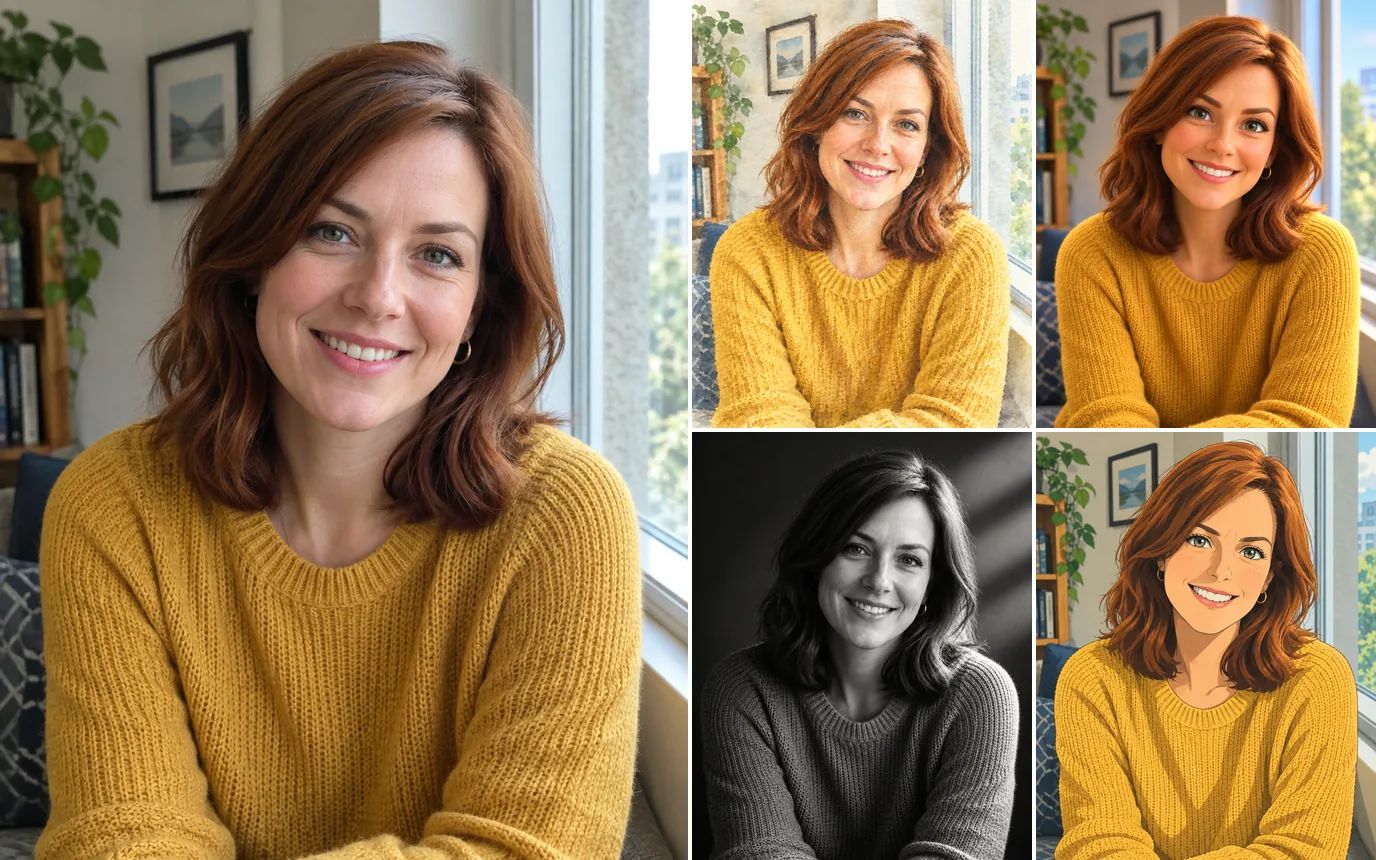
A portrait of a woman in a yellow sweater next to four restyled versions: watercolor, 3D animated character, black-and-white studio portrait and anime illustration

Built for Sellers, Creators, Marketers and Families

Whatever you shoot, the same instruction-based editor gets it ready to publish.

E-commerce: Product Photos That Sell

Turn a plain tabletop shot into a styled hero image for your store, ads and marketplace listings. The product, label and colors stay exactly as they are while the scene, props and lighting change around them.
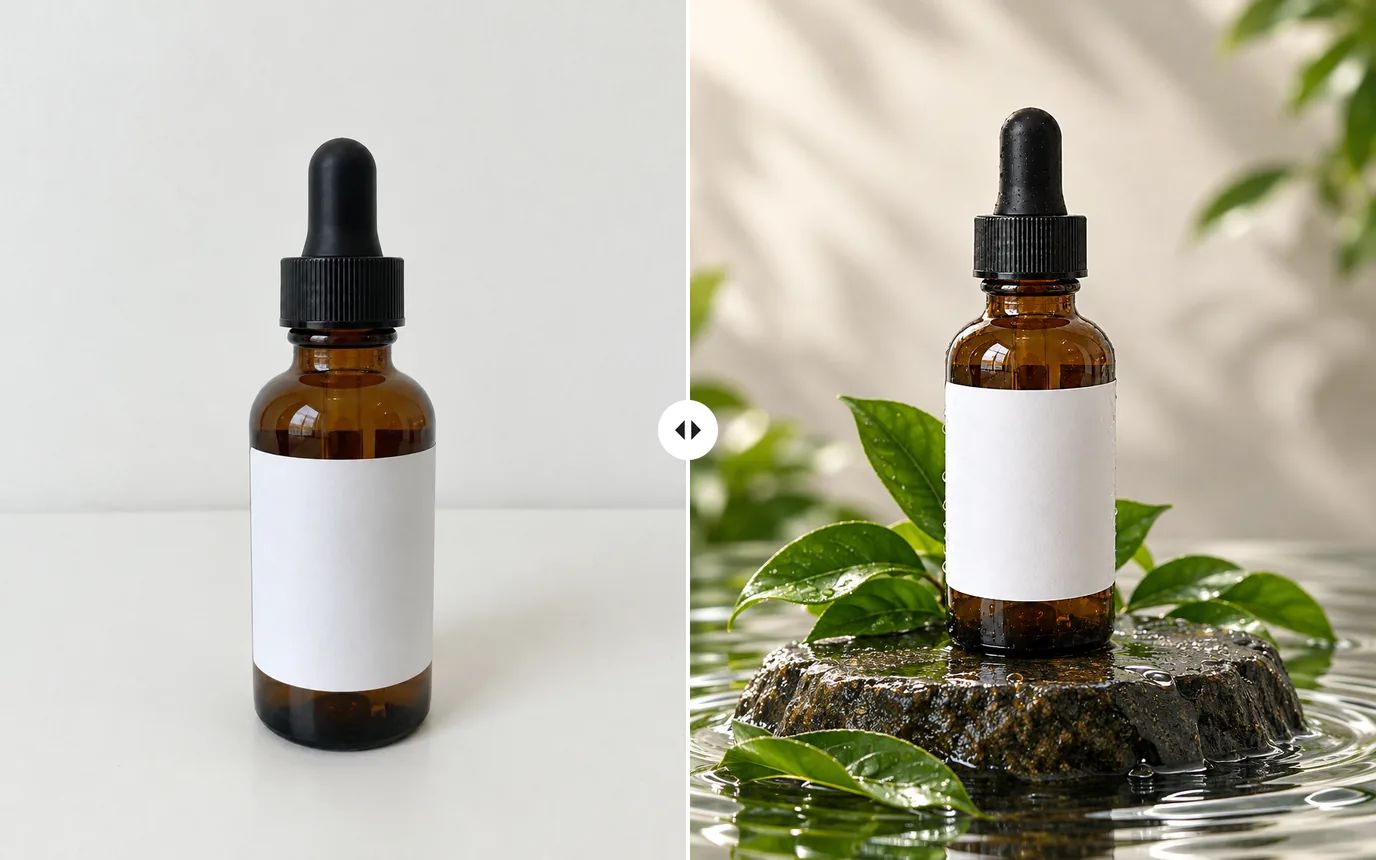
Before and after: an amber serum bottle on a plain white table, restaged on a wet stone pedestal with green leaves and water ripples

Social Media: Scroll-Stopping Posts from Everyday Shots

Fix dim restaurant lighting, brighten colors and restage casual phone photos so they look made for Instagram, TikTok and Pinterest, without reshooting anything.
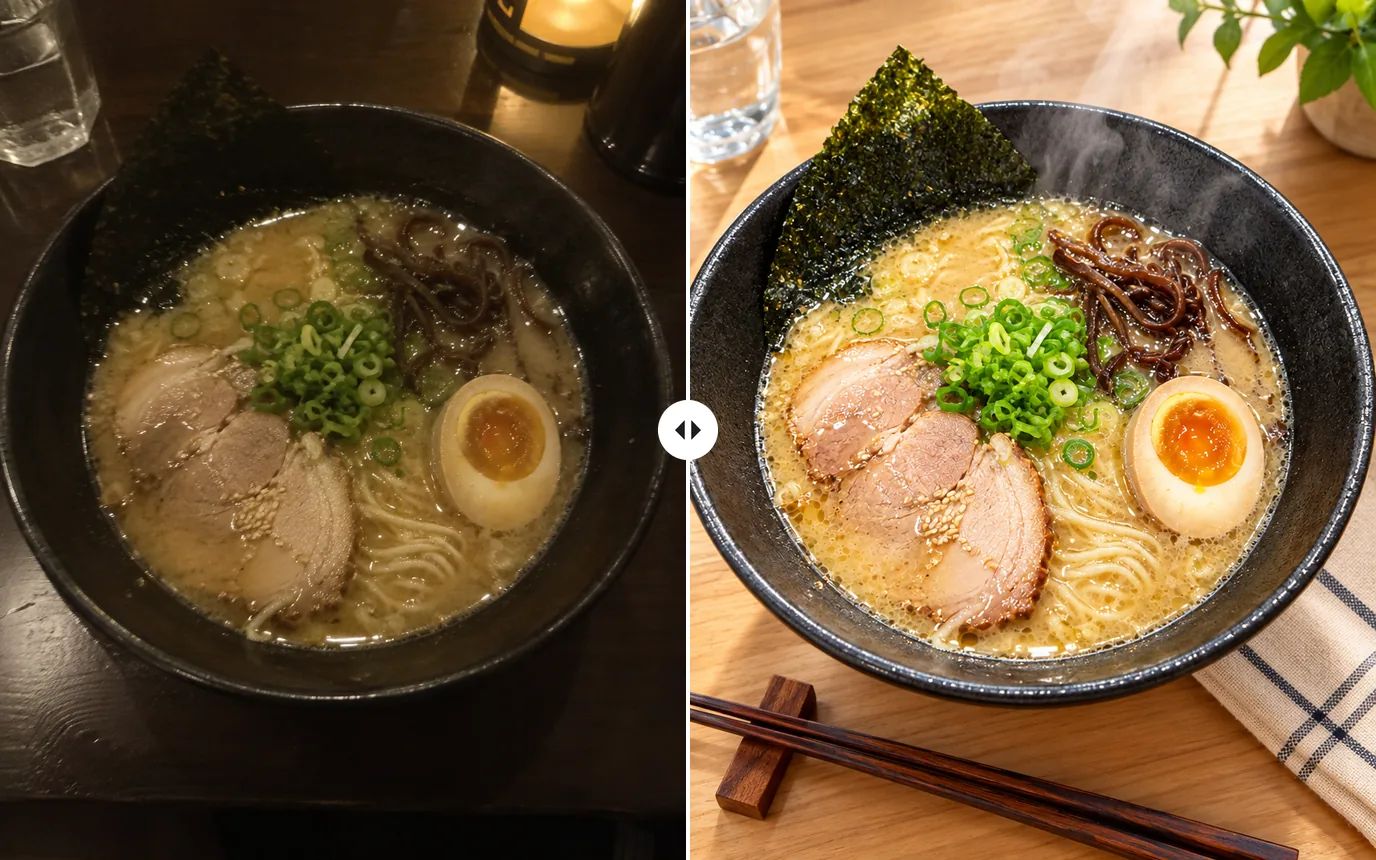
Before and after: a dim overhead photo of a ramen bowl, edited into a bright, styled food shot on a wooden table with chopsticks

Marketing: Campaign Visuals on Demand

Create ad creatives, banners and seasonal variations from the product photos you already have. Ask for empty space where the headline goes, and produce a version for every channel without booking a shoot.
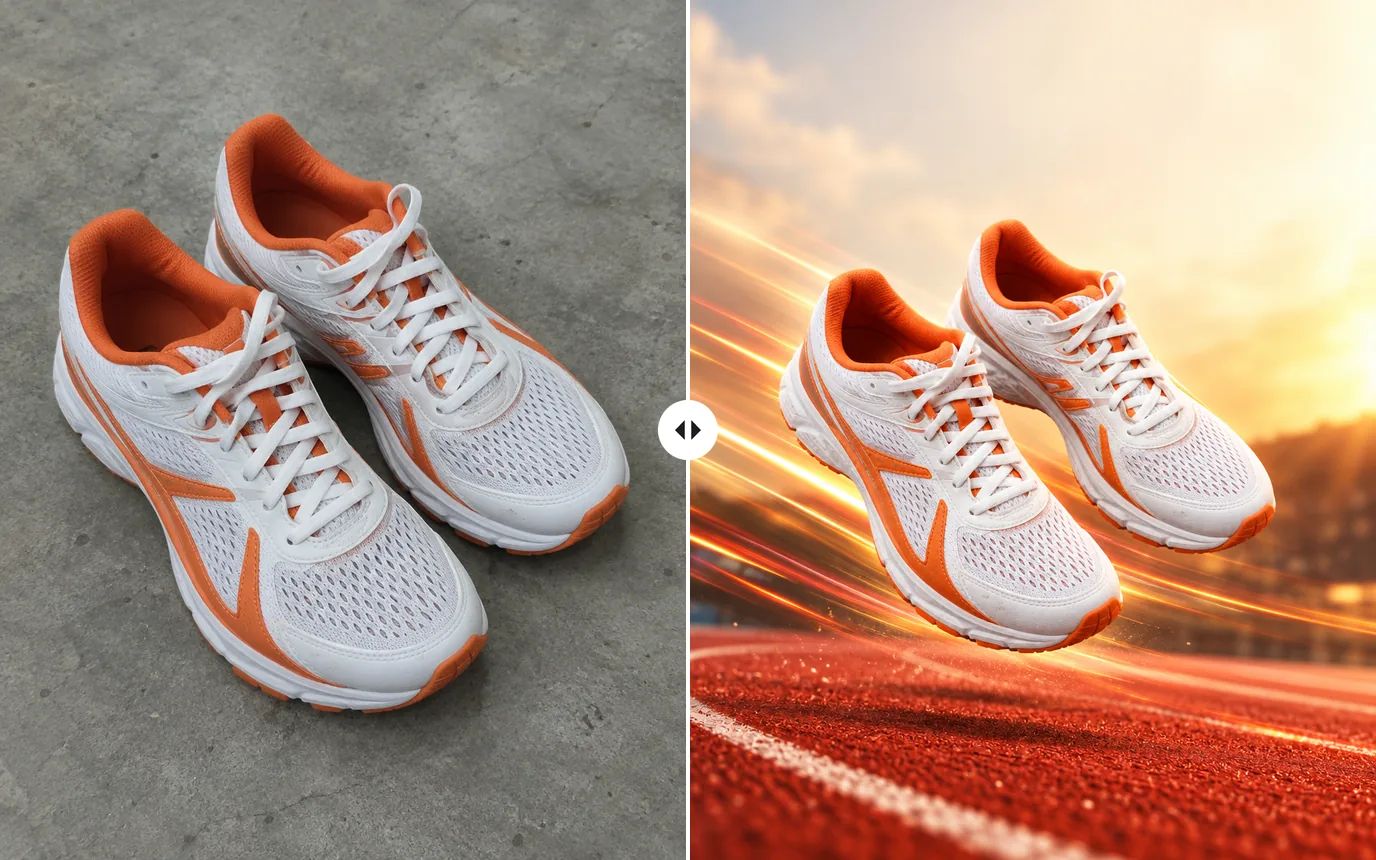
Before and after: running shoes on a concrete floor, edited into a sports ad with the shoes floating above a red running track

Personal Photos: Restore and Colorize Old Memories

Remove scratches, creases and dust from scanned prints, then bring them back in natural color. The same editor retouches portraits and travel photos with nothing more than a sentence.
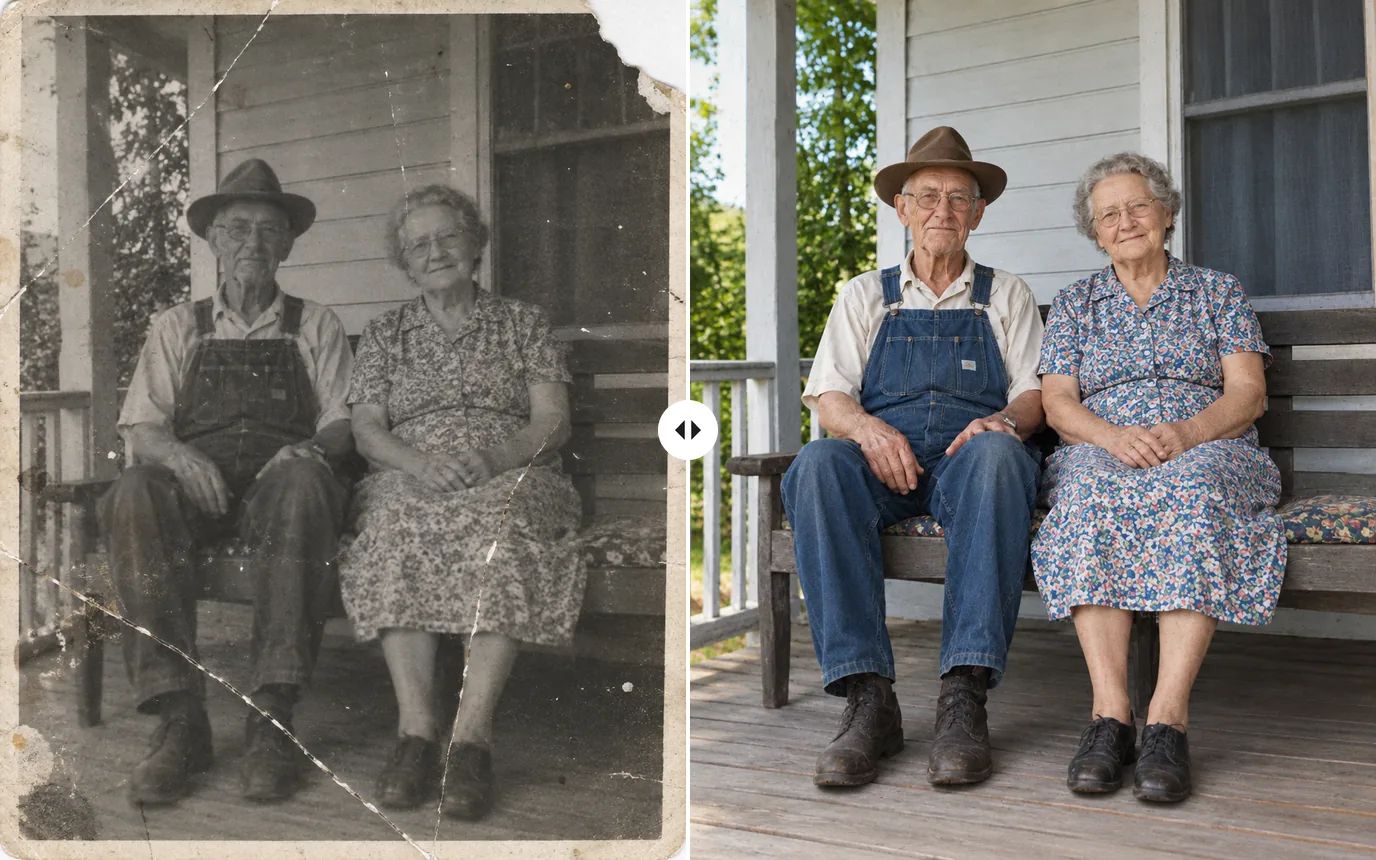
Before and after: a scratched, faded black-and-white photo of an elderly couple on a porch, restored and colorized

How to Edit Photos with AI in 3 Steps

Upload a photo, describe the change, and download the result — no editing skills needed.

Step 1: Upload Your Photo

Click or drag in the photo you want to edit (PNG, JPG or WEBP). Add more images if you want to combine people, products or places.

Step 2: Describe the Edit

Write what should change in plain language, then pick a model and set the aspect ratio and resolution.

Step 3: Generate and Download

Click Generate; most edits are ready in under a minute. Compare the results, refine your instruction if needed, and download the one you like.

Explore More AI Image Tools

Need one specific fix? These dedicated tools handle it directly.

AI Image Generator

Create images from a text prompt with GPT Image 2.5, Nano Banana, Seedream and more.

Image to Image AI

Use a photo as the reference and generate it again in a new style, light or setting.

AI Inpaint

Brush over one area and describe what should be painted there.

Background Remover

Cut out the subject in one click and download a transparent PNG.

Object Remover

Brush over people, text or clutter and erase them cleanly.

AI Background Changer

Replace the background with a new scene described in a text prompt.

Image Upscaler

Enlarge photos up to 16× with sharper detail and clean edges.

AI Uncrop

Extend a photo beyond its borders to fit any aspect ratio.

Image to Video

Bring your edited photo to life as a short video clip.

FAQs

An AI photo editor changes an image from a written instruction instead of manual tools. In MaxH3 you upload a photo, type something like "replace the background with a beach at sunset" or "make the shirt red", and an instruction-edit model applies that change while keeping the rest of the photo intact — no masks, layers or selections.

You can start for free: new accounts get free credits at signup, no card required. Paid plans add more credits, more models and higher quality settings, plus watermark-free downloads.

Background swaps, background removal, object removal, relighting, color changes, outfit and product swaps, style transfer (watercolor, anime, 3D and more), old-photo restoration and colorization, and composites that combine several images. If you can describe it, you can ask for it.

Traditional editors make you do the work yourself: select, mask, clone and adjust, layer by layer. With an AI photo editor you describe the result and the model does those steps for you, so a change that would take an hour by hand takes one sentence. For pixel-exact finishing the two work well together — start here, then refine in your usual editor if you need to.

No. If you can describe the change, you can make it. Specific instructions work best: say what should change and what must stay the same, for example "keep her face and jacket exactly the same".

Yes. Sellers use it to clean up backgrounds, restage products in lifestyle scenes and keep a consistent look across a catalog. Add "keep the product and label unchanged" to your instruction to protect the details that matter.

Yes. You can upload multiple reference images to a single edit — up to 16 with GPT Image 2.5 — and describe how to combine them, such as putting a product in a model's hand or a person in a new location. To keep a series consistent, reuse the same instruction on each photo.

You can upload PNG, JPG and WEBP images. Results can be generated at up to 4K resolution, depending on the model, and downloaded in high quality.

MaxH3 puts 15+ instruction-edit models in one place, from OpenAI, Google, ByteDance, Alibaba, Kuaishou and more. Each has its own strengths, so you can run the same instruction on several models and compare.

Yes, with any paid plan or credit pack, both of which include a commercial license and watermark-free downloads. Images made on the free tier carry a MaxH3 watermark and are meant for trying the editor out.

Start Editing Photos with MaxH3

Upload a photo, say what to change, and let the AI photo editor handle the rest.