AI Magic Eraser

Clean Up Any Photo With an AI Magic Eraser
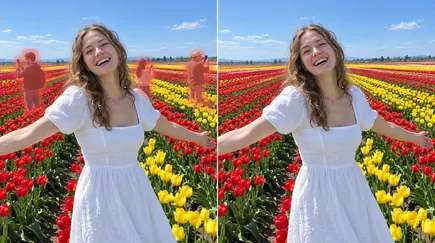
Upload a photo, brush over whatever pulls the eye away from your subject, and our AI magic eraser wipes it out and rebuilds the scene behind it. There's no prompt to write and no layers to manage: a stranger, a bin or a blemish is gone in a few strokes, and your subject stays the star of the picture.
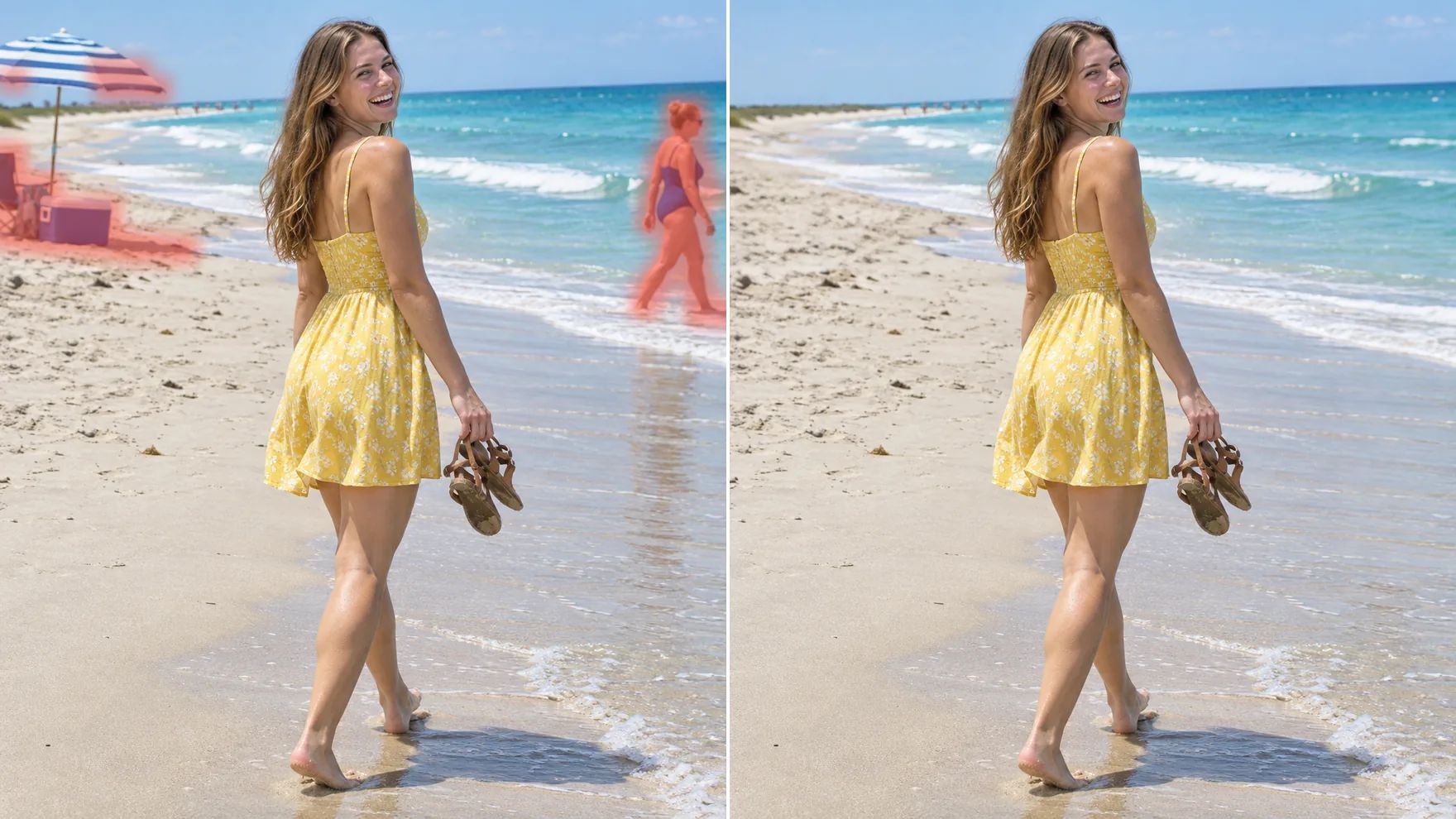
Rescue Moments You Can't Reshoot
A reunion, a graduation, a trip you won't take twice: you only get one chance at those photos. Brush out the stranger who walked through the shot and the scene behind them comes back, so the picture is about the people you meant to capture.
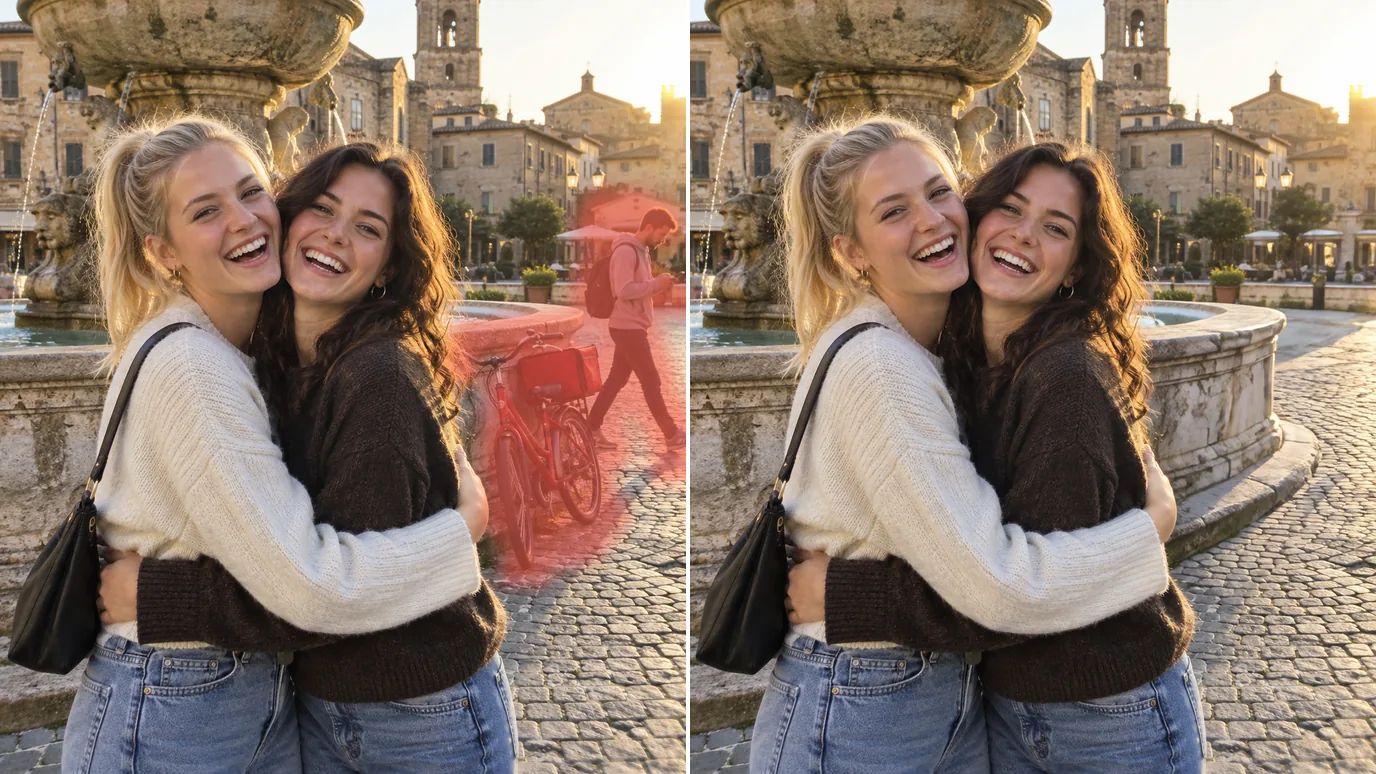
Give Existing Photos a New Job
That shot of your shop still shows last season's banner. Use it as a photo eraser for old signs, dated offers and stray clutter, then reuse the photo in a new post, flyer or web page instead of booking another shoot.

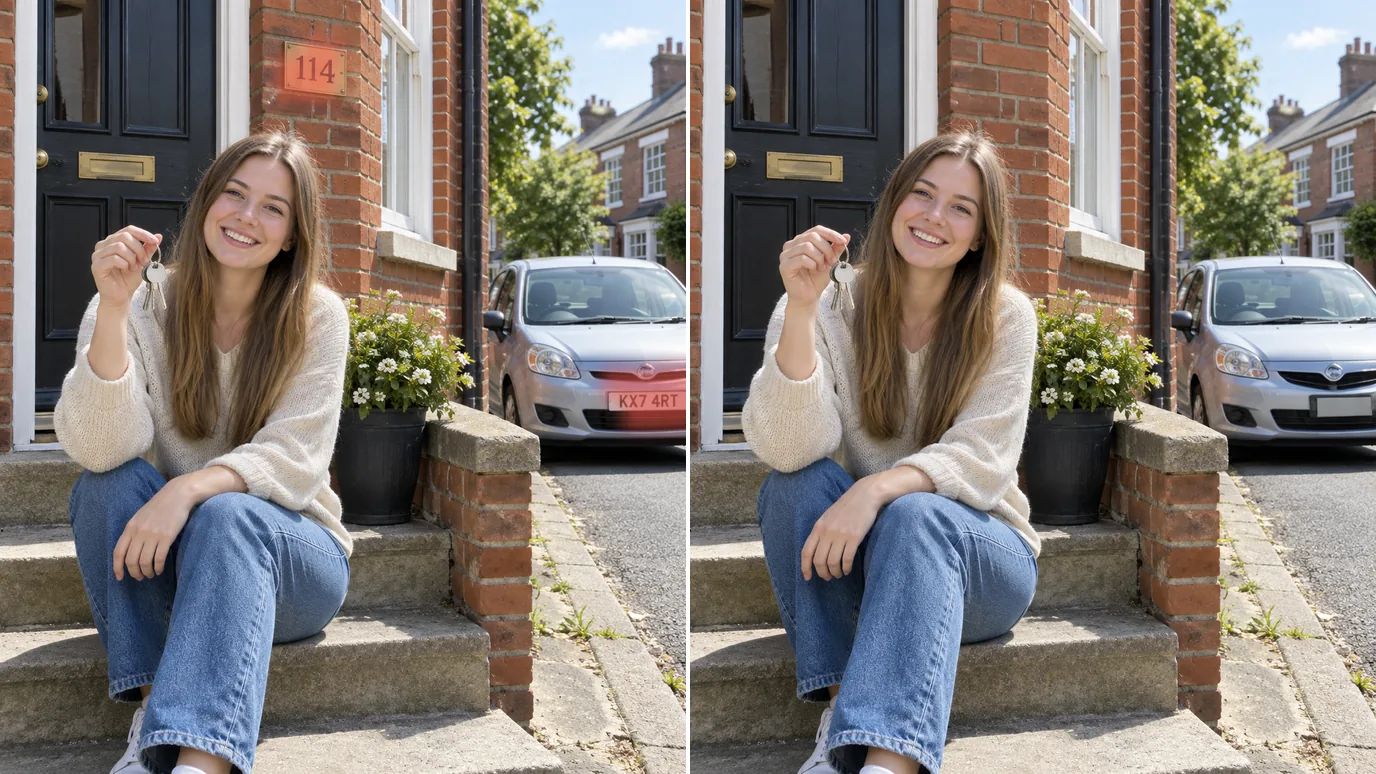
Share Without Oversharing
Before a photo goes online, brush out a house number, a license plate, a name badge or a screen in the background. You keep the picture and leave the private details out of it.
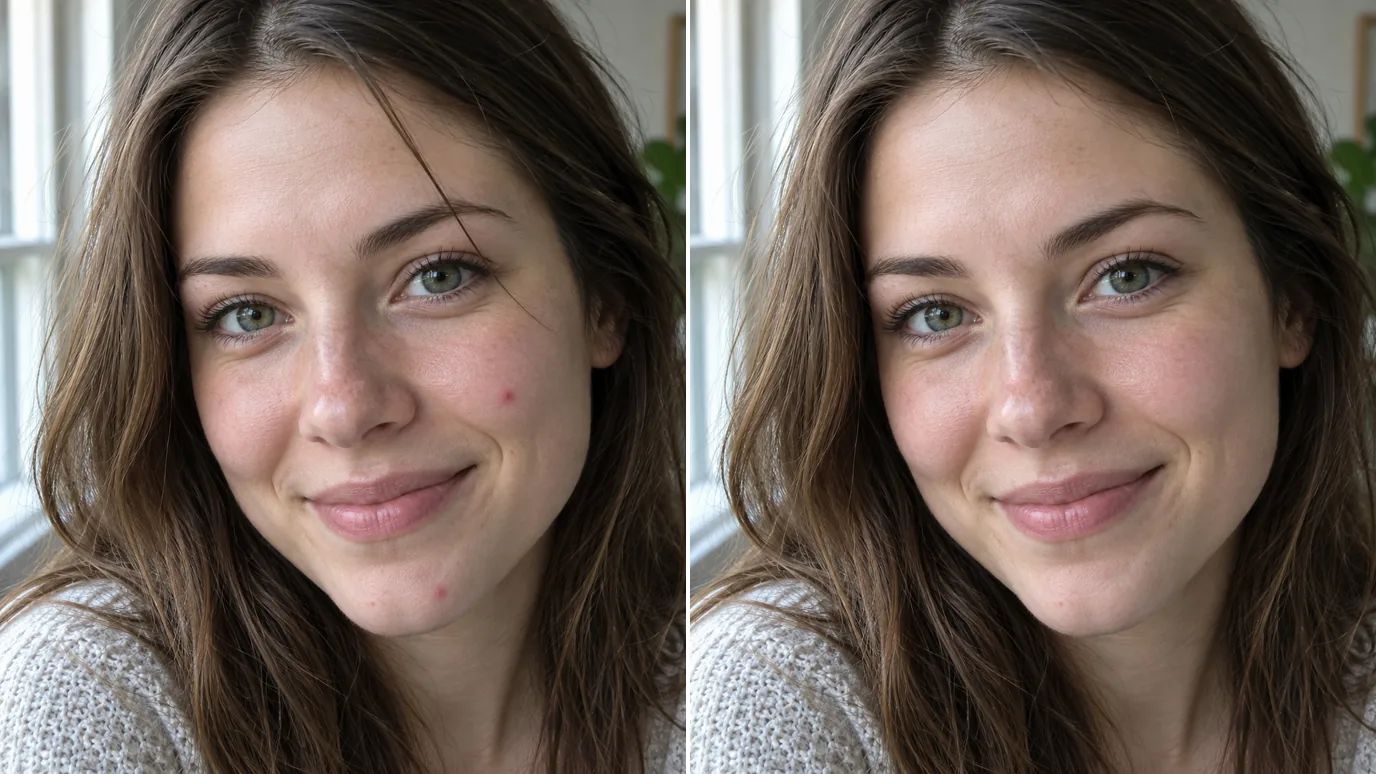
Polish People and Products
Small flaws take the shine off a good shot. Brush over a blemish, a stray hair, a scuff or a speck of dust, and your portraits and product photos look finished and ready to post.
Who Uses a Magic Eraser
Clean up pictures for menus, shops, feeds and fundraisers.
Cafés & Restaurants
Food photos without crumbs, stray napkins or someone's elbow in the frame.
Social Media Users
Portraits and travel shots with the background clutter gone before you post.
Online Sellers
Product photos free of props, labels and surface marks.
Community Groups
Cleaner event photos for posters, updates and fundraising pages.
How to Use the AI Magic Eraser on MaxH3
Upload Your Photo
Sign in and upload a PNG, JPG or WEBP image up to 15 MB and 4096 pixels on each side.
Brush Over What You Want Gone
Paint over the object and any shadow it casts. Change the brush size for small details, and undo any stroke you don't want.
Remove and Download
The price shows on the Remove button. Click it, check the result and download your cleaned photo.


FAQs About Our AI Magic Eraser
Erase the Distractions, Keep the Photo
Upload a picture, brush over what doesn't belong and download a cleaner version.