PixVerse V6 AI 影片產生器
MaxH3 上的 PixVerse V6 能把一則提示詞或一張圖片變成 1–15 秒的片段,運鏡由你指揮,角色表情豐富,聲音可選,解析度 360p 到 1080p。
精準掌控運鏡
描述運鏡,PixVerse V6 就會照做。只憑一張湖畔小屋的照片,鏡頭先推向亮著燈的窗戶,再繞過門廊,揭示出霧氣籠罩的湖面和群山,一個鏡頭穩穩拍完。依你想要的順序寫下每個運鏡。
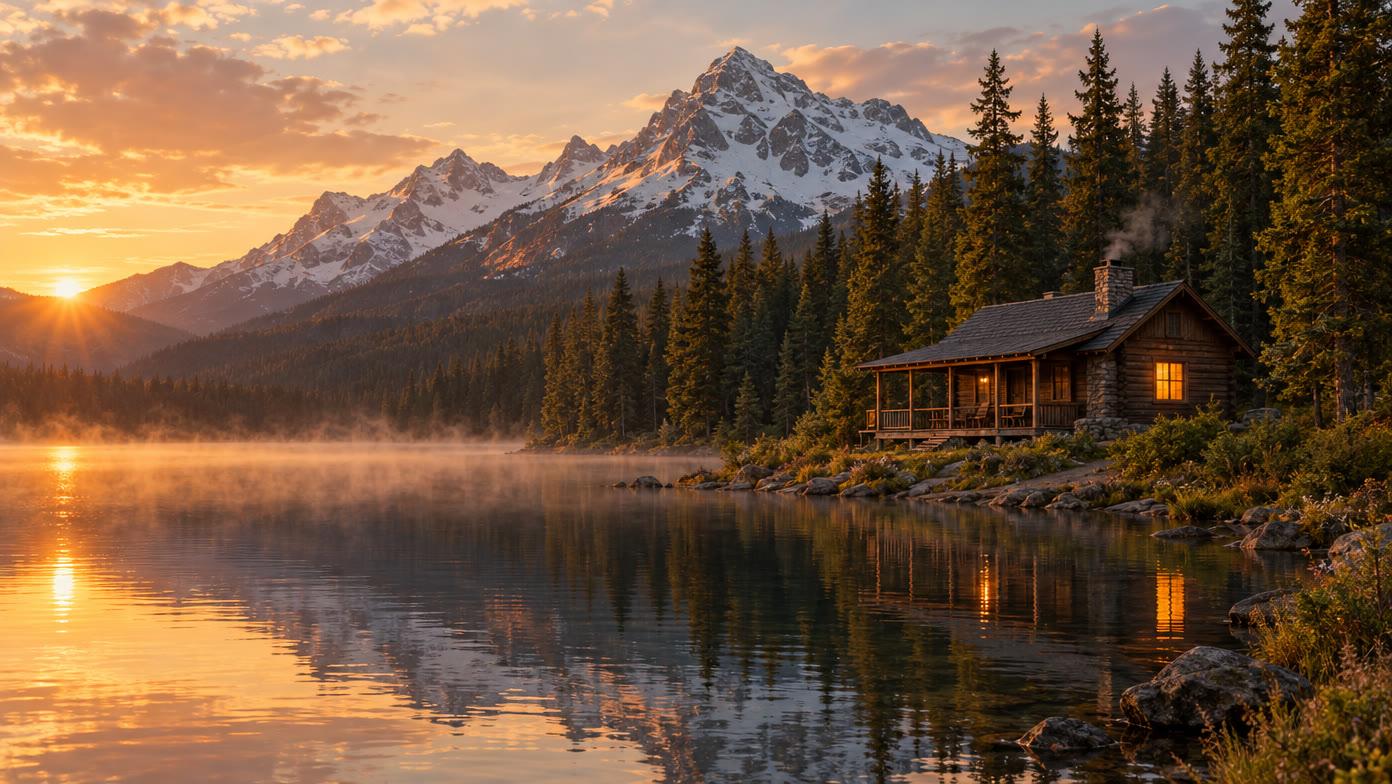
Start wide on the cabin, then the camera pushes in slowly toward the lit window, then arcs smoothly left around the porch to reveal the misty lake and the mountains behind; one steady, gimbal-smooth move. Birdsong and water lapping at the shore.
捕捉細膩的情感層次
臉上的細微變化就能說一個故事。這裡一位老先生讀著一封手寫信,臉上的神情起伏不定,接著露出感激的微笑,把信貼在胸前。描述情緒,以及它在鏡頭中如何變化。
Close-up of an elderly man at a kitchen table reading a handwritten letter; his eyes fill with tears, his lips tremble, then a slow, grateful smile spreads across his face as he presses the letter to his chest. Soft morning window light. A quiet clock ticking and a soft exhale.
模擬真實的物理互動
動作遵循重量和慣性。一位廚師在明火上甩鍋,把炒飯拋出炒鍋,米粒在空中劃出弧線又落回鍋裡,火焰在四周竄起。描述動作以及它接觸到的東西。
Close-up in a busy restaurant kitchen: a chef tosses fried rice high out of a carbon-steel wok over roaring flames, the grains and diced vegetables arcing through the air and landing back in the pan as he catches them, the flames flaring up. Sizzling, clanging metal and the roar of the burner.
把文字寫進場景
PixVerse V6 能用場景本身拼出一個單字。當提示詞要求雲朵拼出 "DREAM" 時,它讓雲朵在山谷上空聚成這幾個字母,停留片刻,再慢慢散開。把確切的單字放進引號,並保持簡短。
Time-lapse of white clouds drifting over a green mountain valley at sunrise; the clouds slowly gather and form the word "DREAM" in giant, soft cloud letters across the blue sky, then begin to drift apart. Gentle wind and birdsong.
生成沉浸式高速第一人稱視角
第一人稱鏡頭始終保持衝勁。這段無人機鏡頭沿著瀑布俯衝而下,在水潭上方拉起,再貼著狹窄的峽谷低空疾飛,隨河道傾斜轉彎。適合用在動作片開場、旅遊短片和遊戲風格的片段裡。
FPV drone shot: the drone dives down the face of a towering waterfall at high speed, pulls up just above the churning pool, then races low along the river through a narrow green canyon, banking around the bends. Rushing wind and roaring water.
簡化商業廣告製作
從一張商品照片開始,描述你想要的廣告。只憑一張耳機圖片,PixVerse V6 就讓耳機從石塊上升起,在空中緩緩旋轉,發光的塵埃在光線中飄動,耳機的形狀和鼠尾草綠的外觀都維持不變。
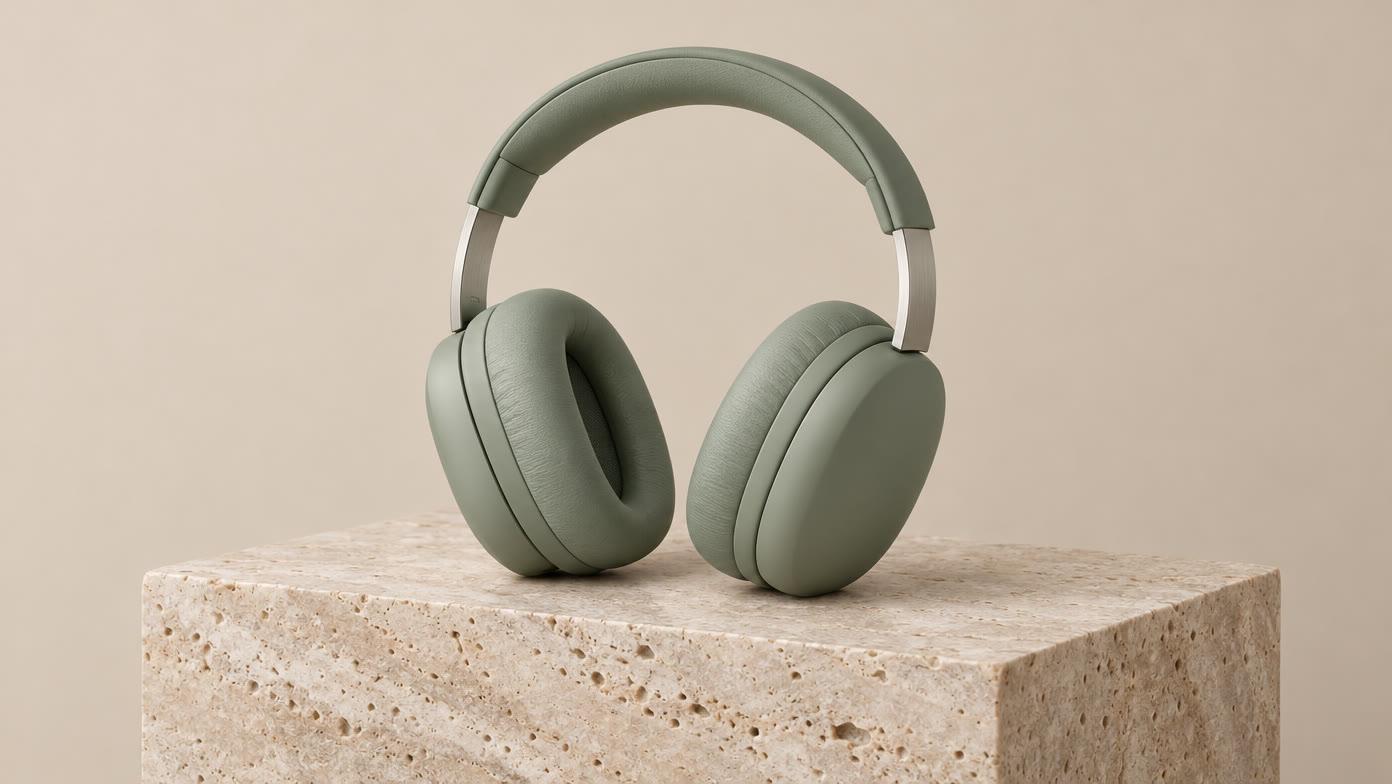
A premium commercial for these headphones: a soft light sweep glides across the cushions and metal sliders, then the headphones lift gently off the stone and rotate slowly in mid-air while fine dust motes glow in the light; the camera eases in. Keep the headphones' exact shape and color. A deep, smooth electronic beat.
PixVerse V6 的應用情境
可控的短片,為需要大量產出的人打造。
社群媒體創作者
把一個點子或一張靜態圖變成 1–15 秒的片段,畫面比例依平台需求來選。
電商和品牌團隊
把商品照片做成可直接投放的廣告鏡頭,不必預約一整天的攝影棚。
電影人和分鏡師
開拍前就能用一則提示詞或一張場景照片試運鏡和表演。
旅遊和動作類創作者
替片頭、預告片和旅遊短片製作快節奏的第一人稱片段。
PixVerse V6 vs Kling 3.0 vs Grok Imagine Video 1.5
| 項目 | PixVerse V6 | Kling 3.0 | Grok Imagine Video 1.5 |
|---|---|---|---|
| 開發商 | PixVerse | 快手 | xAI |
| 輸入 | 文字、首格 | 文字、首格 | 文字、首格 |
| 解析度 | 360p、540p、720p、1080p | 720p、1080p、4K | 480p、720p、1080p |
| 片段長度 | 1–15 秒 | 3–15 秒 | 1–15 秒 |
| 畫面比例 | 16:9、9:16、4:3、3:4、21:9、1:1、3:2、2:3 | 16:9、9:16、1:1 | 16:9、9:16、3:2、2:3、1:1 |
| 聲音 | 可選 | 可選 | 原生 |
| 5 秒 720p 含聲音所需點數 | 59 | 80 | 60 |
| 誰能使用 | 免費及付費方案 | 免費及付費方案 | 免費及付費方案 |
規格和點數以 MaxH3 上提供的為準。
PixVerse V6 的突出之處
- 由你指揮的運鏡: 依順序寫下運鏡,V6 會把它們串成一個鏡頭,即使只有一張靜態圖。
- 任意長度,任意畫幅: 1 到 15 秒,八種畫面比例,從 9:16 直式到 21:9 寬銀幕,解析度 360p 到 1080p。
- 想要聲音時再加: 開啟音訊,聲音會與畫面一起生成;關閉則生成無聲片段,點數更少。
如何在 MaxH3 上使用 PixVerse V6
開啟 PixVerse V6
PixVerse V6 已經在上方的產生器中選好。選擇文字生影片;想從自己的照片開始,就選圖生影片。
描述鏡頭
依順序寫出發生了什麼、鏡頭怎麼移動。需要聲音的話,把聲音也描述出來,並開啟音訊。
生成並下載
選擇 1 到 15 秒、360p 到 1080p 和畫面比例,然後按下箭頭按鈕。片段會在你的工作台開啟,可直接下載為 MP4。
常見問題
用 PixVerse V6 創作有導演感的電影級片段
描述場景和運鏡,或從一張照片開始,大約一分鐘就能得到 1–15 秒的片段。